Release notes – 19 November 2024
Surveys · Responses · Tasks · Settings · Platform
Smart Script, an improved sidebar, survey editing, filters, and working with responses.
1.0 Smart Script
We have quietly launched the much-discussed Smart Script, and in fact all customers are already using it! The old installation methods still work by activating one specific survey, but this is a legacy mode that will be retired at a date to be announced.
Smart Script is a complete rewrite of how Skyra manages surveys on your website. All the logic has been redesigned to support large numbers of surveys while ensuring that visitors are not overwhelmed by pop-ups and that all rules are respected.
You can now switch from window.skyra.inject({ slug: "my-org/my-survey" }) to window.skyra.start({ org: "my-org" }) to enable Smart Script features.
Smart Script loads all published surveys for a website and uses an algorithm to choose which survey to show to which visitor at the right time.
Remember to unpublish old surveys before enabling Smart Script.
All surveys with Published status will be active on the website where the script is installed. Surveys you do not want to show must therefore be set to Draft or Archived.
Before a pop-up survey can appear to a visitor, it must pass several checks:
✅ Pass all URL rules
✅ Cookies must be enabled
✅ Be published
✅ The visitor must not have another active survey
✅ The visitor must not have dismissed a survey in the last 4 hours
✅ The visitor must not have completed a survey in the last 8 hours
Surveys are prioritised by an algorithm that considers:
- The survey's invitation rate
- Rule specificity relative to the URL the visitor is viewing
- The number of responses already collected
- Publication time
- … more factors will be added over time
Inline surveys are always shown and should be added manually to the HTML of the pages where they should appear.
2.0 Sidebar
We have upgraded the sidebar interface and improved several features.
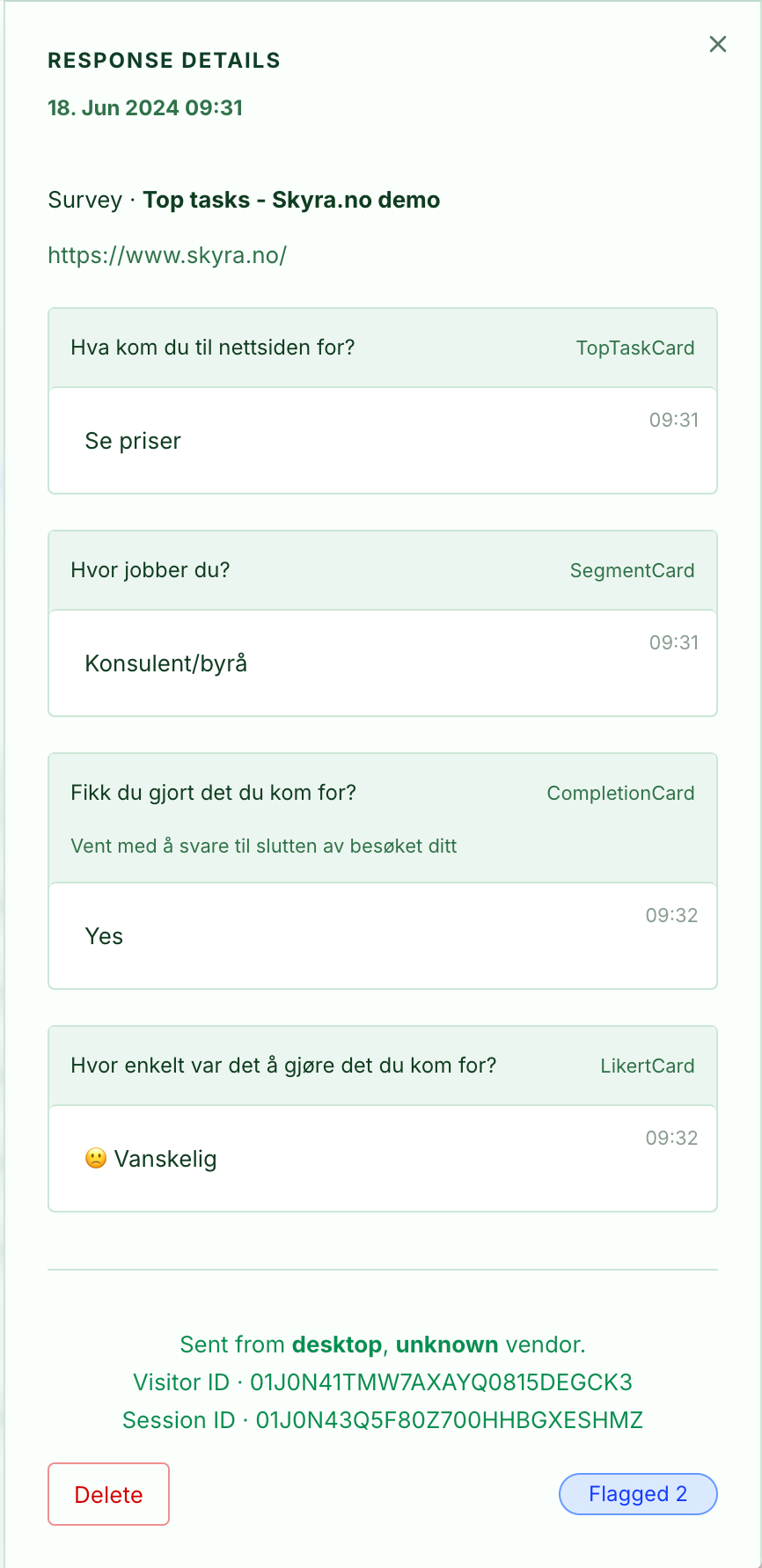
- Events are now clearer, with more detailed timestamps for each card response.
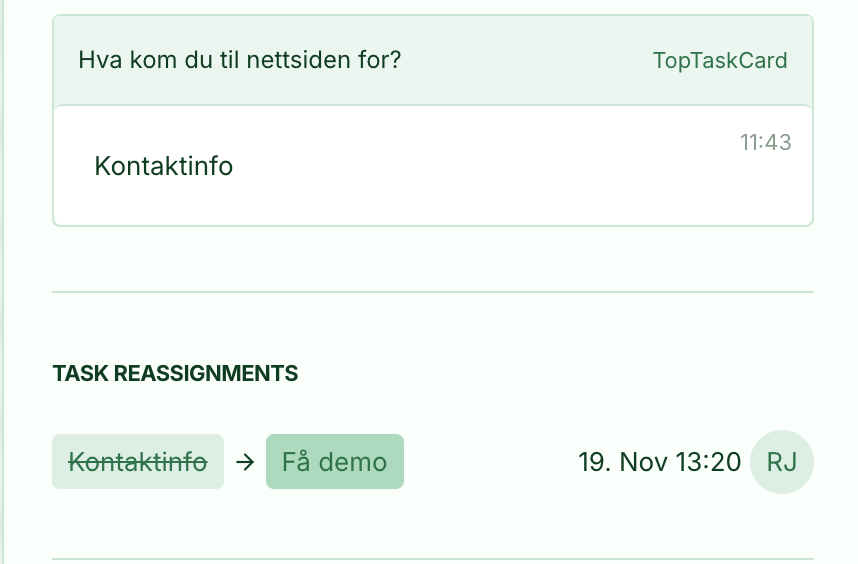
- Re-assign task history is now tracked and visible in the sidebar. This lets you revert changes and confirm whether a task was manually overridden rather than selected by the respondent.
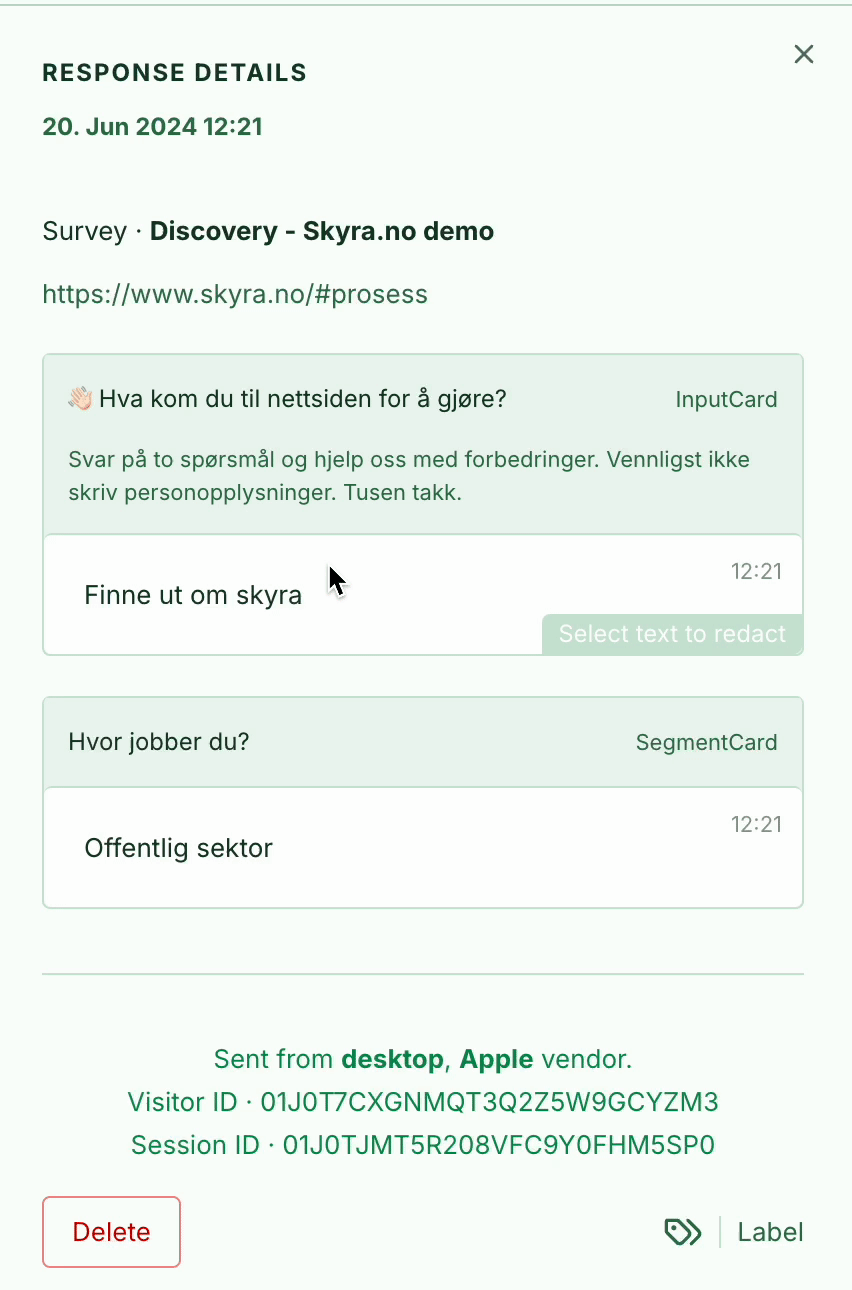
- Improved the editing flow for hiding sensitive information (redact), with a clearer confirmation because this action cannot be undone.
3.0 Survey editing
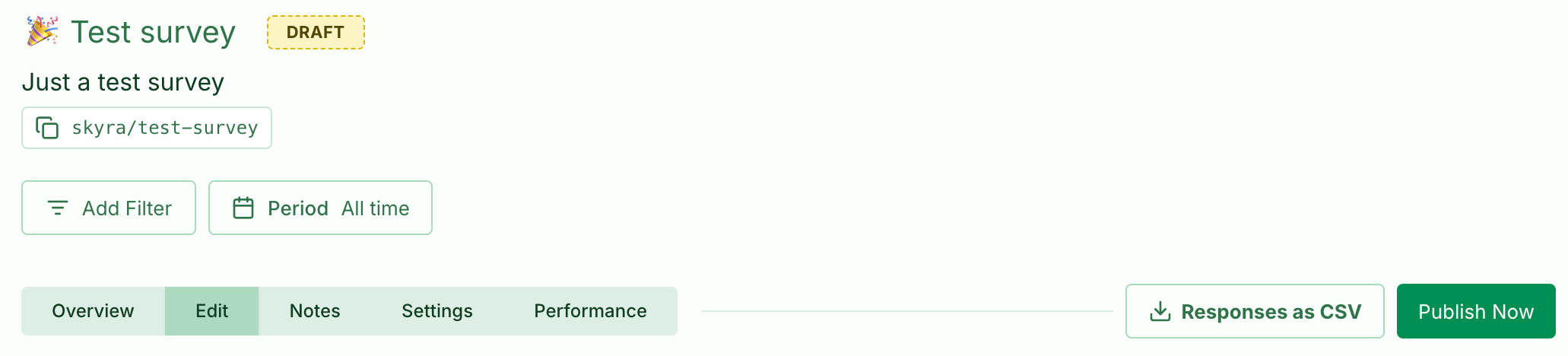
- Survey publishing was hard to find because it required clicking the status. We have added Publish/Archive buttons to make it easier.
- New status indicators are more intuitive and easier to understand.
- The survey slug has been removed from the setup instructions, as Smart Script is the way forward. If you still use
inject, we have temporarily moved the slug to the survey header. It will become less prominent later.
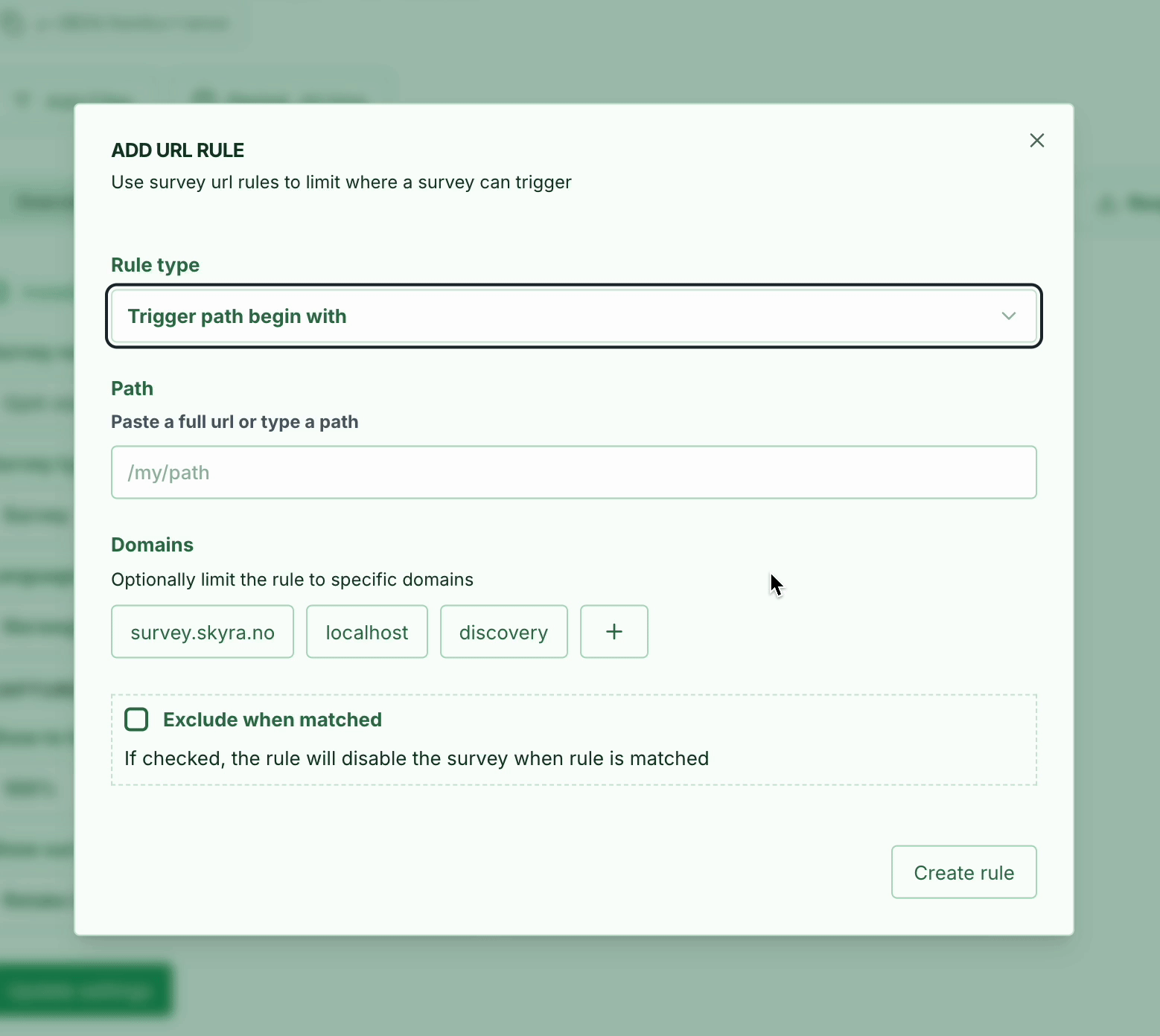
Improved URL rules in Smart Script
To support Smart Script, we have improved survey URL rules:
- Two different rule types:
- Trigger rules: Determine where a survey can start.
- Follow rules: Determine where a survey that has already started, with at least one card answered, can appear.
- Support for including domains in rules:
- If you have both an English and a Norwegian version of your website, you can give each version its own survey so Smart Script does not show the wrong survey on the wrong domain.
Improved survey previews:
- Previews no longer create responses.
- Draft cards are included.
- Previews can be restarted at any time.
This is not a live preview, so you need to save changes before they appear.
4.0 Filters are taking shape
We received plenty of complaints about the old filters! To be honest, the filters in the menu were poor and confusing. Not our proudest detail.
Improvements:
✅ Filters are now at the top of each page
✅ Only relevant filters appear, with no unnecessary options
✅ Easier, more intuitive to use
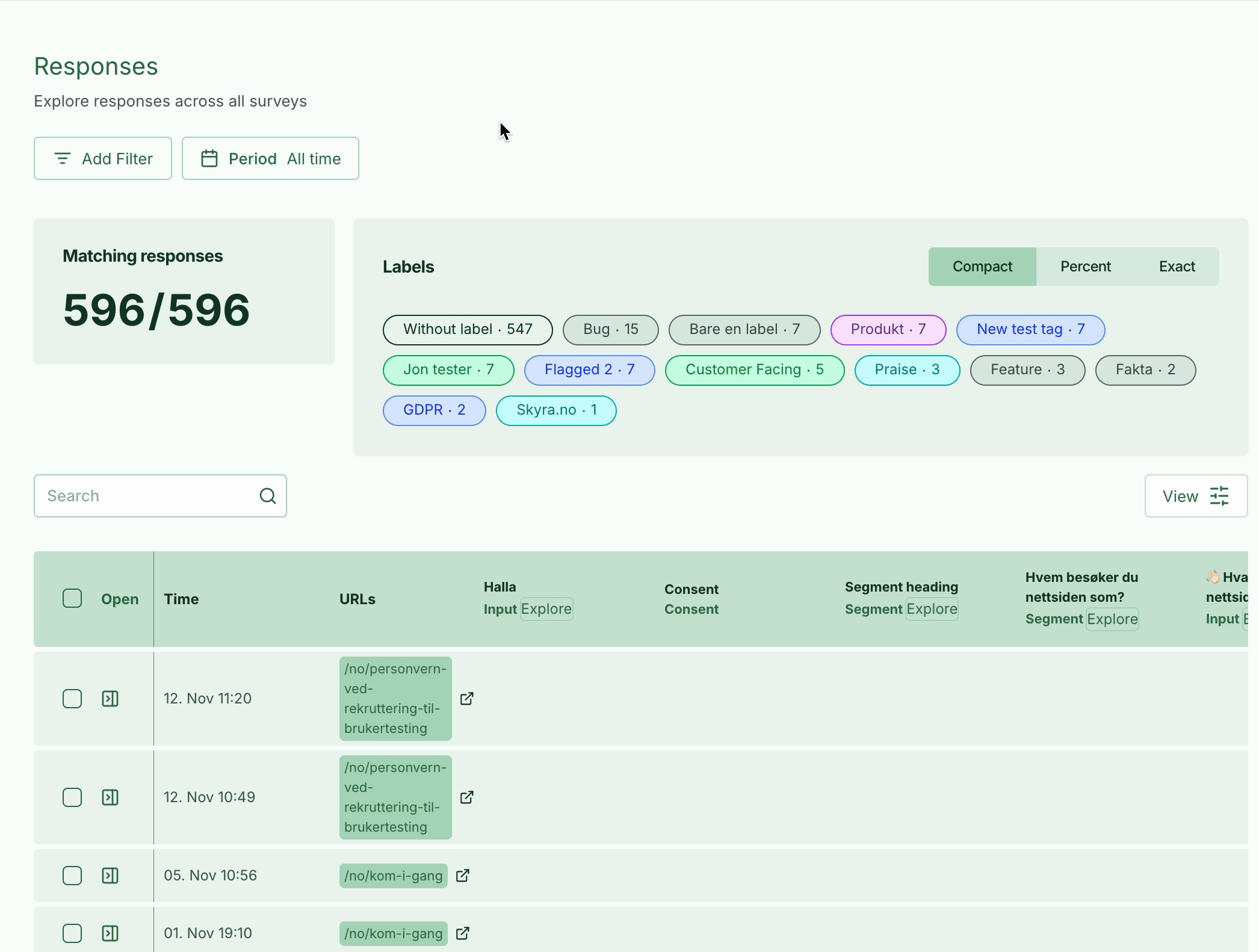
Try them and let us know what you think! There is still some work to do, especially on the visuals and a few adjustments, but we are getting there!
5.0 Working with responses
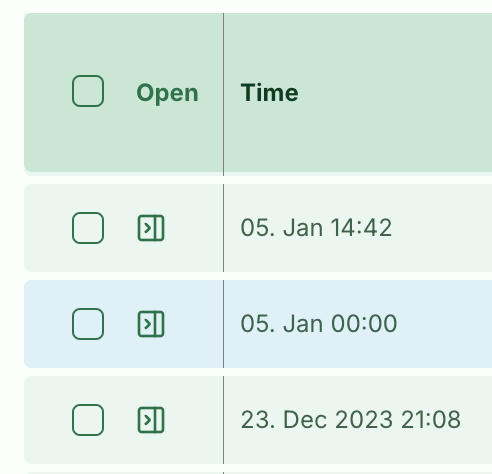
- The response table has improved checkboxes and open buttons.
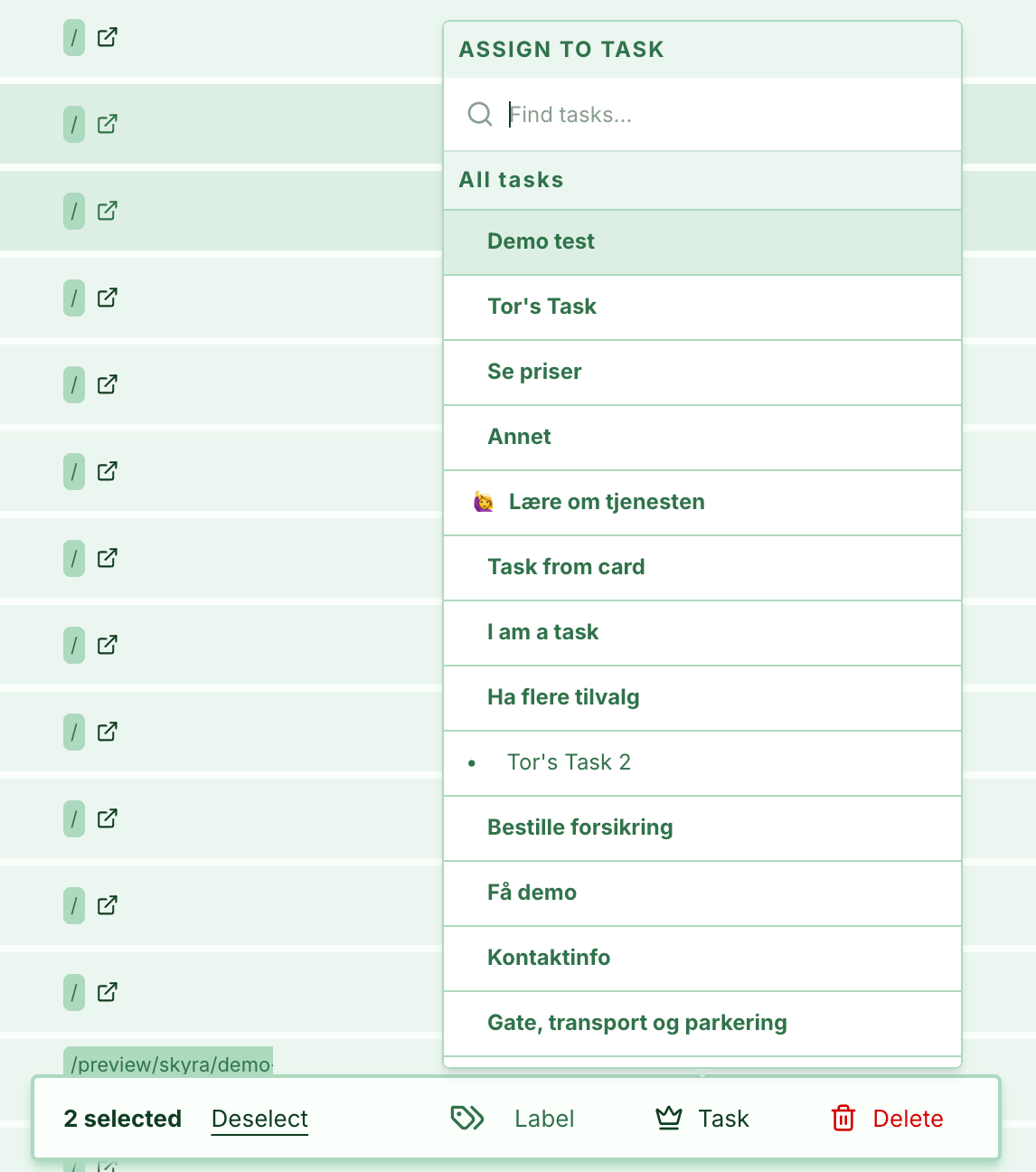
- The action bar has been redesigned for a better experience.
- Timestamps now show the year when it is not the current year.
- Lots of small refinements! We are highlighting just a few here, but we have adjusted around 90 small details in this update!

We have also created a task re-assign popover, which shows your top task hierarchy if you have set one up.
6.0 Other improvements
- Task creation now uses less restrictive duplicate checks.
- Many task card fixes make them more reliable to configure.
- Improved login stability.
- You can now specify a role directly when inviting users.
- Dashboard is now called Summary, and we have improved the microcopy to make the metrics easier to understand.
- You can now set a default date range for your organisation. The default for new customers is All time.
- Recruitment can now be disabled entirely for your account.
What comes next?
- Findability is getting an update that streamlines the dashboard and makes everything clearer and more precise.
- Teams are nearing completion and will provide more granular access control for survey results. This is a Pro feature, so get in touch to find out how it can improve your Skyra experience.