Release notes – 13 February 2025
Responses · Tasks · Surveys · Platform
Date filtering and an improved task page
1.0 Custom date filter
You can finally filter responses by the exact dates you want using a custom date range.
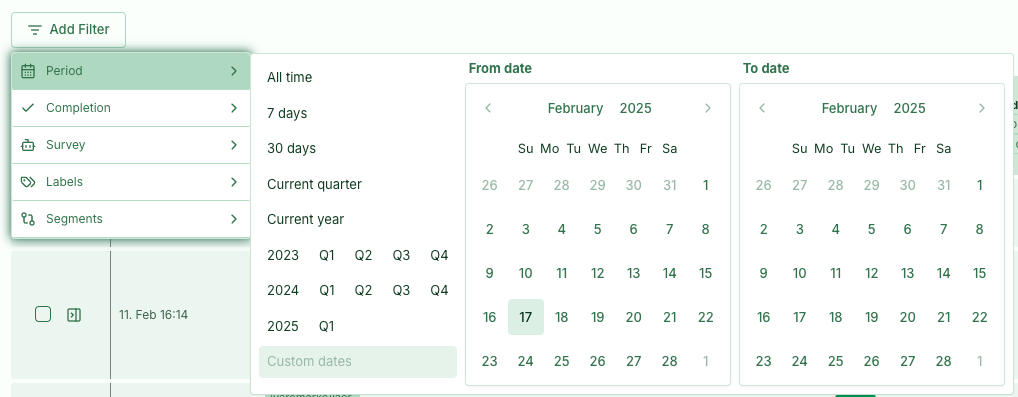
2.0 Top tasks
We are working towards making Skyra the world's best tool for top tasks. Here are the latest improvements:
SegmentandText feedbacksnow show which survey they come from.- Segments use the card's question as the heading instead of the segment name, providing more relevant context.
- Filtering by survey now removes cards that do not match.
- Survey and segment filters are retained when navigating between top tasks. Clicking the menu item again resets them.
- Published/Archived is now a button at the top, just like in surveys.
- The Draft/Archived statuses have been removed.
- A notice appears when tasks in the task list are hidden by filters or View options.

In the survey overview, when you open an Input card report dialog, you can now choose to display the tasks associated with each response.
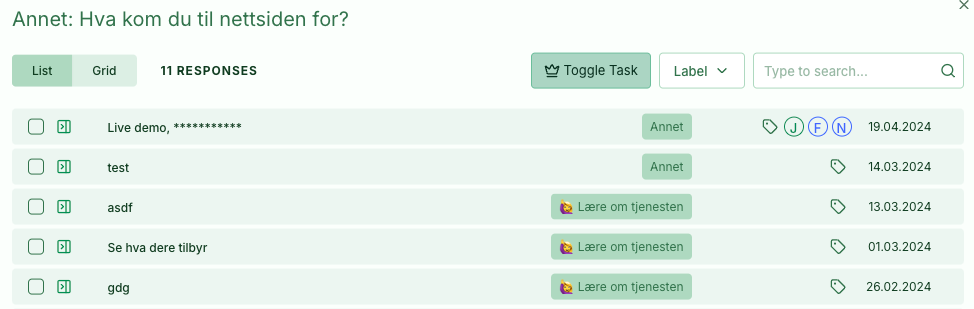
3.0 Help centre
We have launched a new and improved help centre to make it easier to find answers about Skyra. Learn more about the methods behind the product, get practical tips, and find solutions to common challenges. We have organised the content more clearly and added search so you can quickly find what you need. We also update the help centre regularly based on new questions and customer feedback. Our goal is to give you answers exactly when you need them.
4.0 Smaller improvements
- Fixed pagination issues in response tables.
- Show all card columns except individual task cards.
- Added error messages when editing card validations.
- Fixed CSV export from the survey list.