Release notes – 19 March 2025
Surveys · Findability · Responses · Tasks
New rules for surveys and cards
1.0 New survey display rules
We have made an important change to how surveys appear on your website.
What has changed?
Before: Skyra showed surveys everywhere on your website, and you had to create rules for where they should not appear.
Now: We have reversed this. Surveys do not appear anywhere until you explicitly create a display rule specifying where they should appear.
How to use the new rules
Go to Surveys > Survey > Settings and find the Show survey on section.
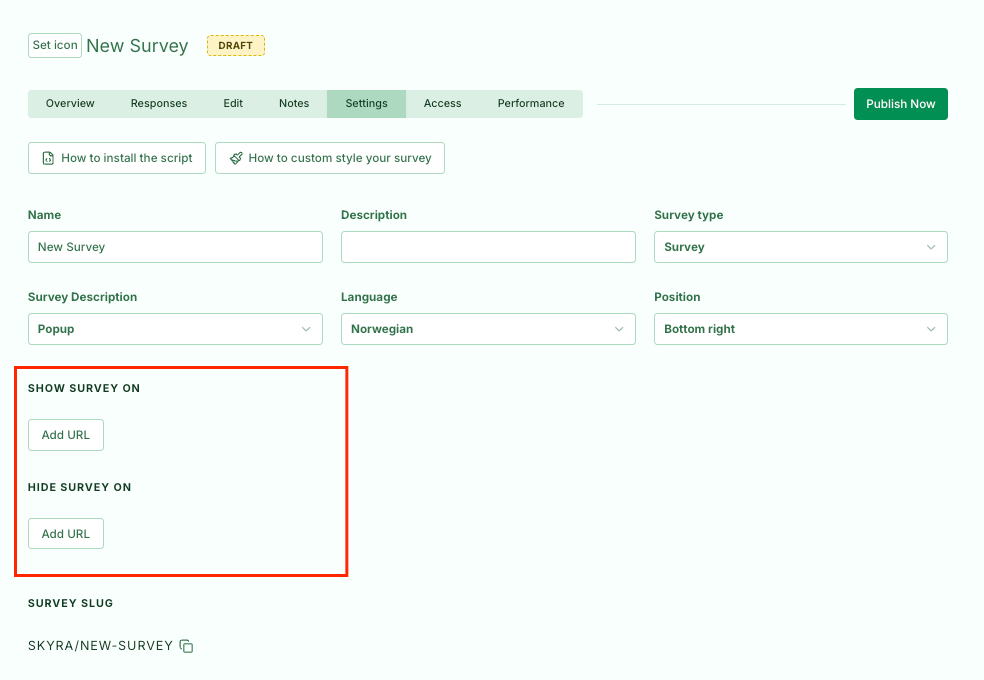
The new rules are divided into two categories:
- Display rules: Specify where the survey should appear
- Hide rules: Let you make exceptions to the display rules
Important information
This change also applies to all existing surveys. The survey list now shows whether a survey is visible.
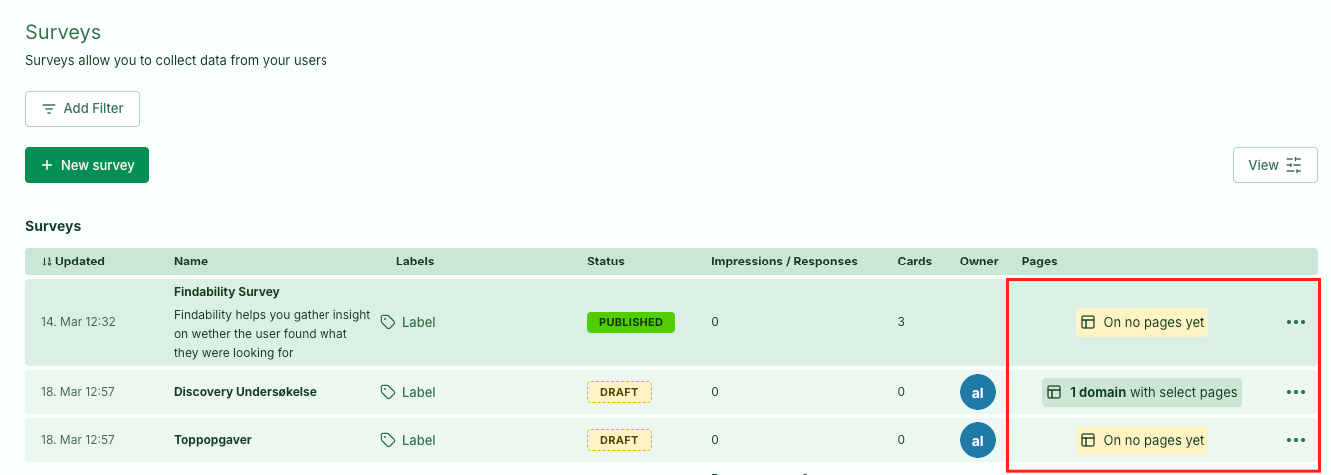
About the old rules
The old rules still work as before, so all your existing configurations will continue to work. We will gradually phase them out, so we recommend familiarising yourself with the new rules.
New priorities for which surveys are shown
Alongside the new rules, we have changed how surveys are prioritised for display. Priority is based on the difference between the URL in the rules and the URL in the browser.
Read more about using the new rules here.
2.0 New card rules
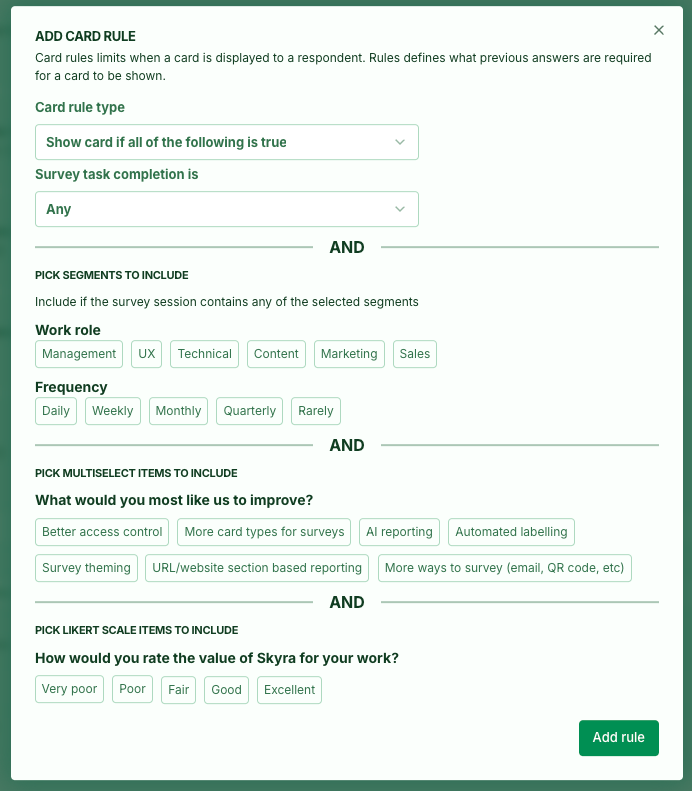
We have added support for card rules based on Multiselect, Likert, and Recruitment cards. Only options from earlier cards in the survey are now shown, so you cannot create rules that can never be met because the relevant question appears later.
3.0 Smaller improvements
- Fixed an issue where
viewerscould not see label data in the responses table. - Fixed an issue where
window.skyra.injectdid not work. - Fixed incorrect positioning of UI elements in Findability surveys.
- Fixed issues with
window.skyra.reload` - Fixed a bug where removing leads was not reflected in the UI.
- The survey list can now be sorted.
- Fixed card ordering in skyra-survey.
- Added a card-saved event in skyra-survey.
- Made small adjustments to how Findability is saved for the first time.
- Fixed an issue that prevented card validations from being created in Findability.
- Fixed an incorrect back button in Findability.
- Added a Findability setup guide.
- Fixed the label and device filters on the task page.