Audience Targeting (Beta)
Surveys
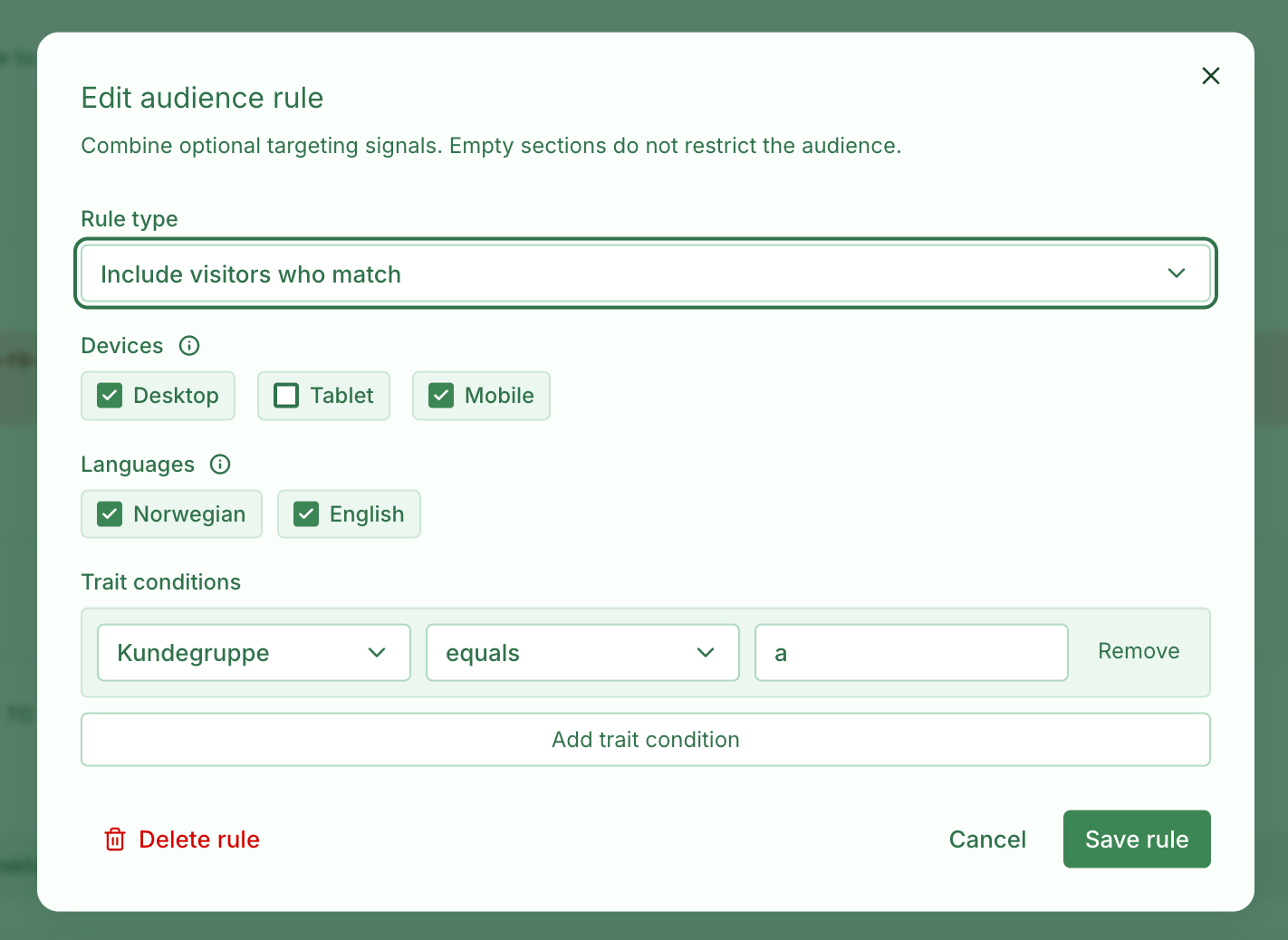
Control who can see a survey, and which cards they see inside it, with audience targeting. Combine device, language, locale, and visitor trait rules so each respondent gets the right experience.
- Survey-level targeting — Choose who is eligible to start or receive a survey after the survey’s placement rules have matched.
- Card-level targeting — Apply the same audience signals to individual cards, so a survey can branch based on device, language, locale, or traits without duplicating the whole survey.
- Include and exclude rules — Narrow the audience with include rules, then add exceptions for visitors who should never see a survey or card.
- Trait-based targeting — Create traits in organisation settings first, then pass matching values from your website using the Skyra widget.
- Beta rollout — Audience targeting is available as a beta feature while we refine the setup, editing, and respondent experience.
Survey rules decide whether a visitor can enter the survey. Card rules are evaluated later, alongside existing card visibility rules, to decide which questions or messages appear during the respondent’s flow.
To target by traits, first define the traits you want to use in Skyra, such as plan, role, or customerType. Then send those values when the widget starts:
<script>
  window.SKYRA_CONFIG = {
    org: "your-org",
    traits: {
      plan: "enterprise",
      role: "admin",
    },
  };
</script>
<script src="https://survey.skyra.no/widget.js"></script>
You can also update traits after the widget has loaded, for example after a user logs in or changes context:
window.skyra.setTraits({
  plan: "enterprise",
  role: "admin",
});
Once traits are available, use them in survey audience rules or card visibility rules to include, exclude, or branch for specific groups.
Available on Essentials and above.
Trait limits depend on your subscription.