See how your survey results change over time
Responses · Segments · Scales
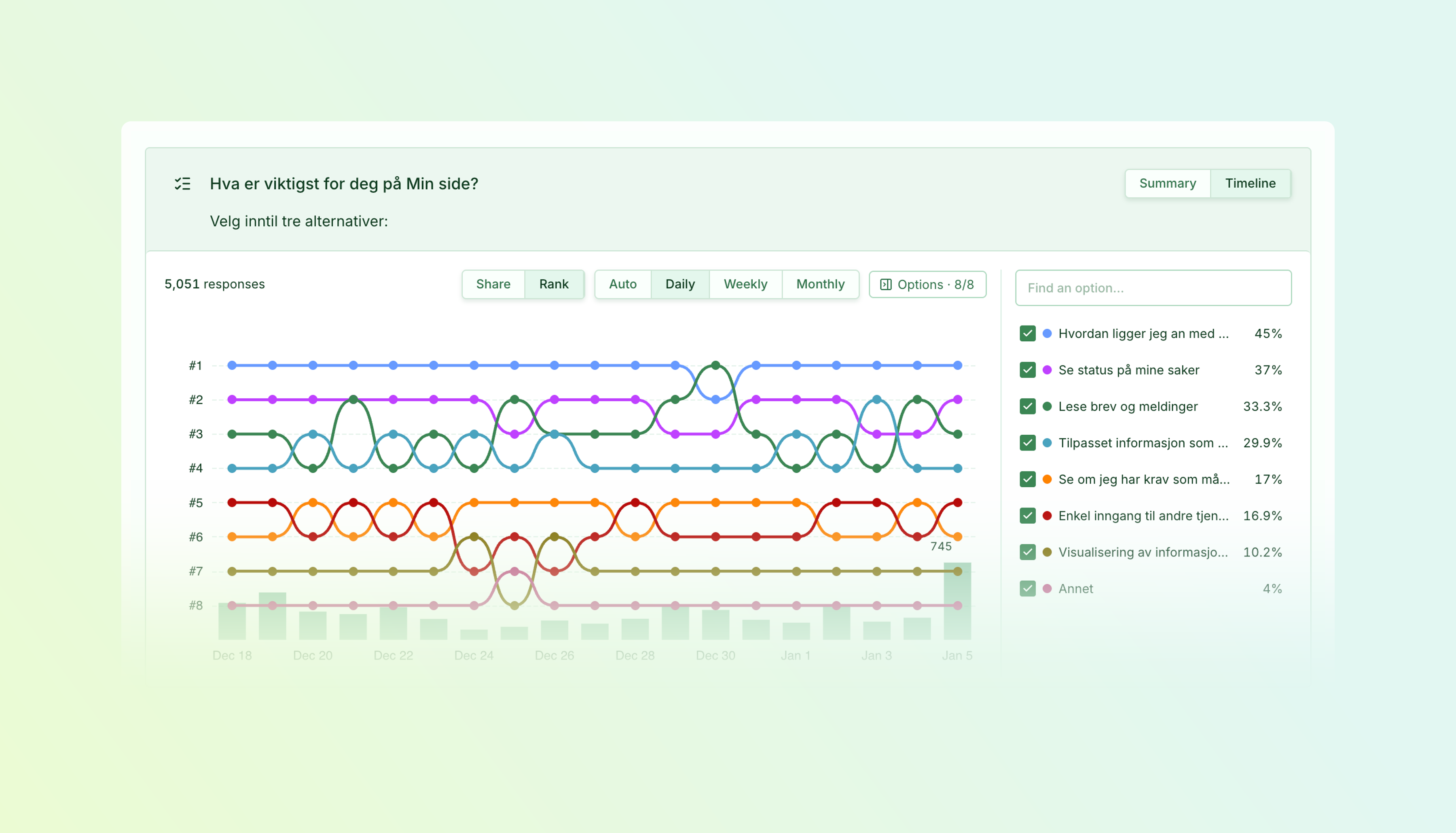
Spot shifts in scores, audience mix, and answer choices with timeline views for Likert scales, segments, and selection questions.
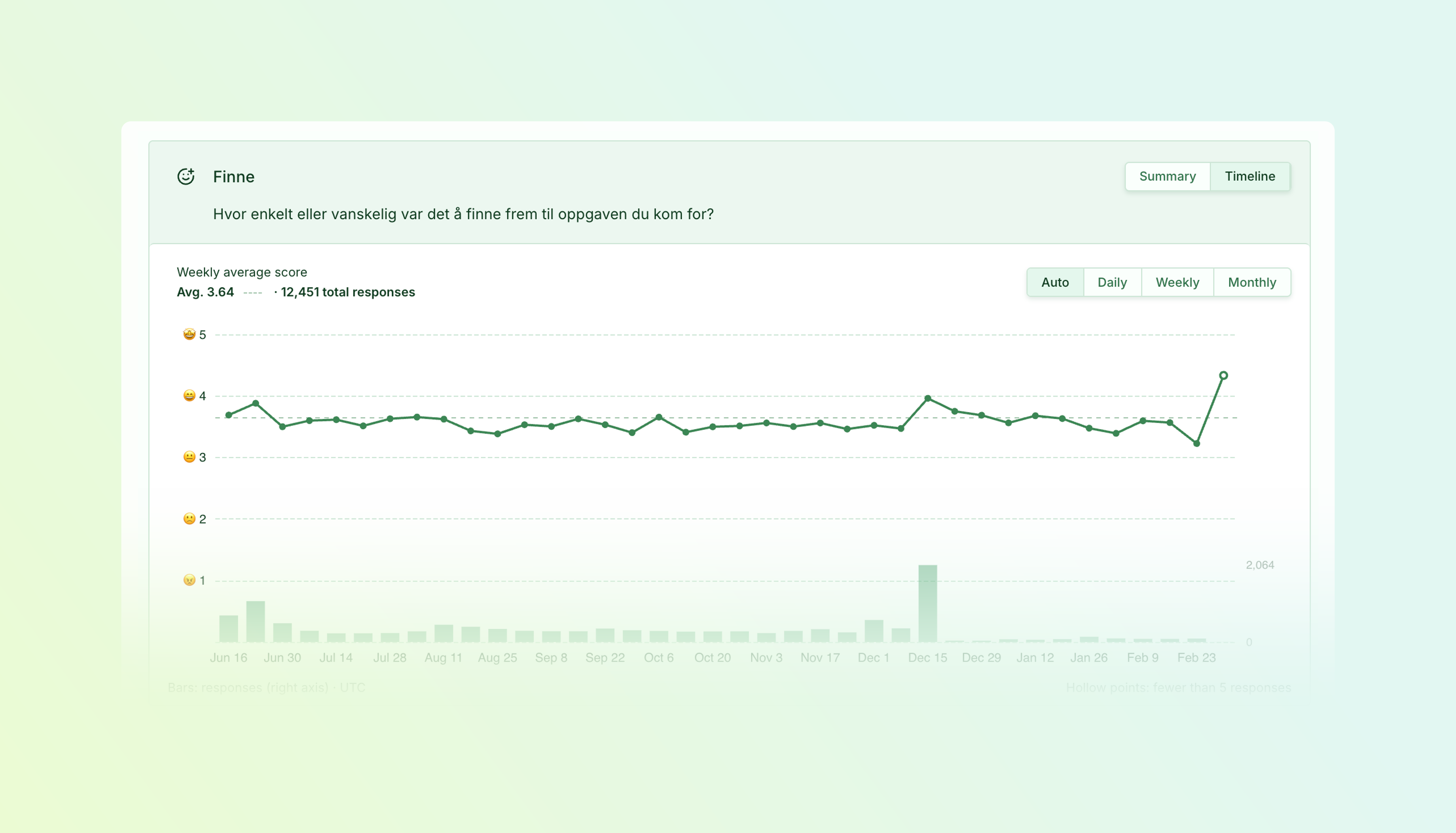
- Follow your scores — Track average Likert scores over time, with response counts alongside the trend and hollow points marking periods with fewer than five responses.
- See what gains ground — Compare how segment and answer-option shares change, or switch to Rank to follow their relative positions.
- Choose your perspective — Explore daily, weekly, or monthly trends, or use Auto to choose the time interval for you.
- Focus your comparison — Show or hide individual options to follow the answers that matter to your analysis.
Switch from Summary to Timeline on a supported results card to explore the changes behind your totals.
Follow the score, with context
An overall average can hide changes along the way. The Likert timeline shows how scores develop across the selected period, while response-volume bars help you judge how much feedback sits behind each point.
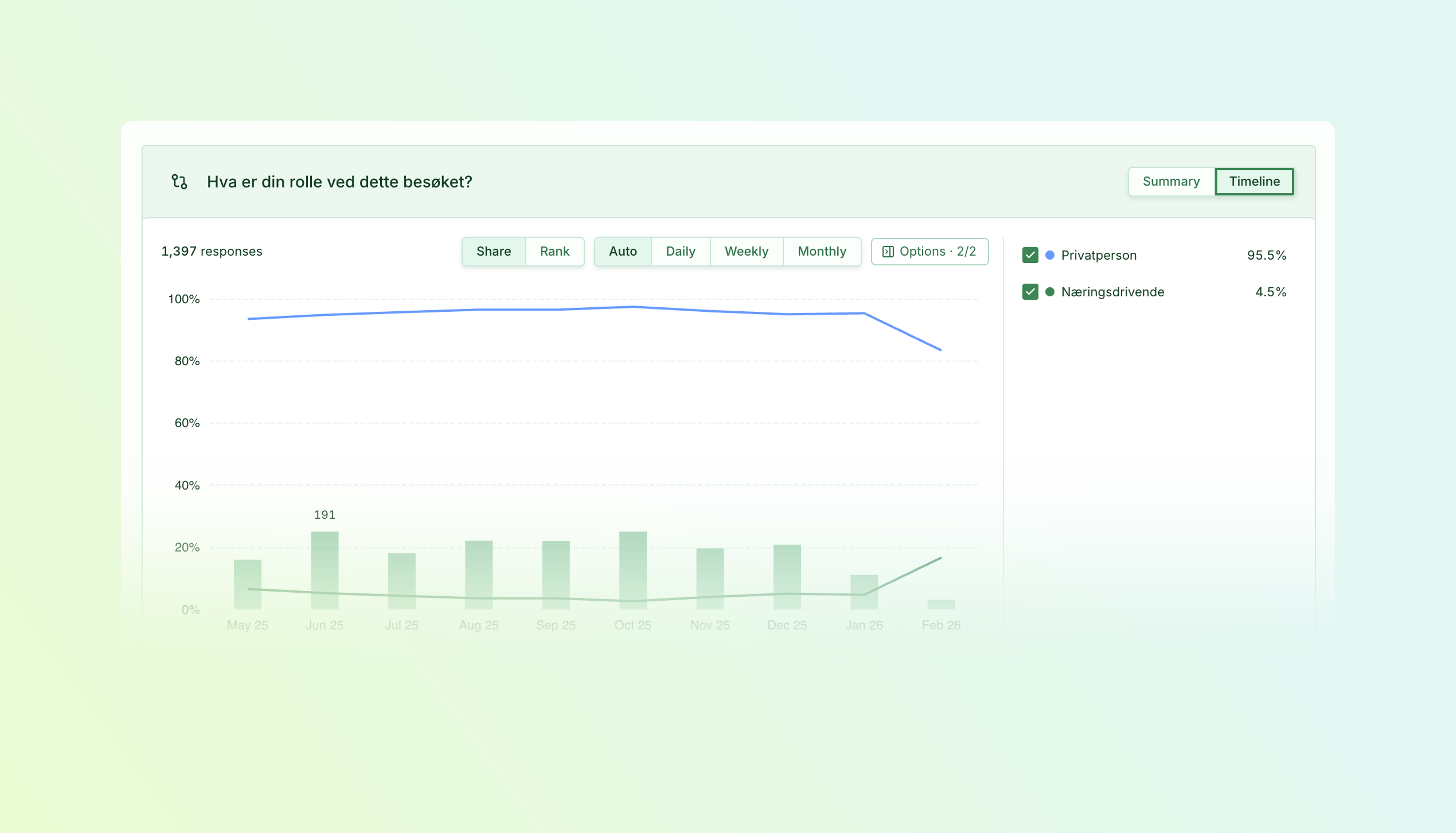
Understand who is responding
Use Share to see how the balance between audience segments changes over time. For selection questions, the same view helps you follow which answers become more or less common.
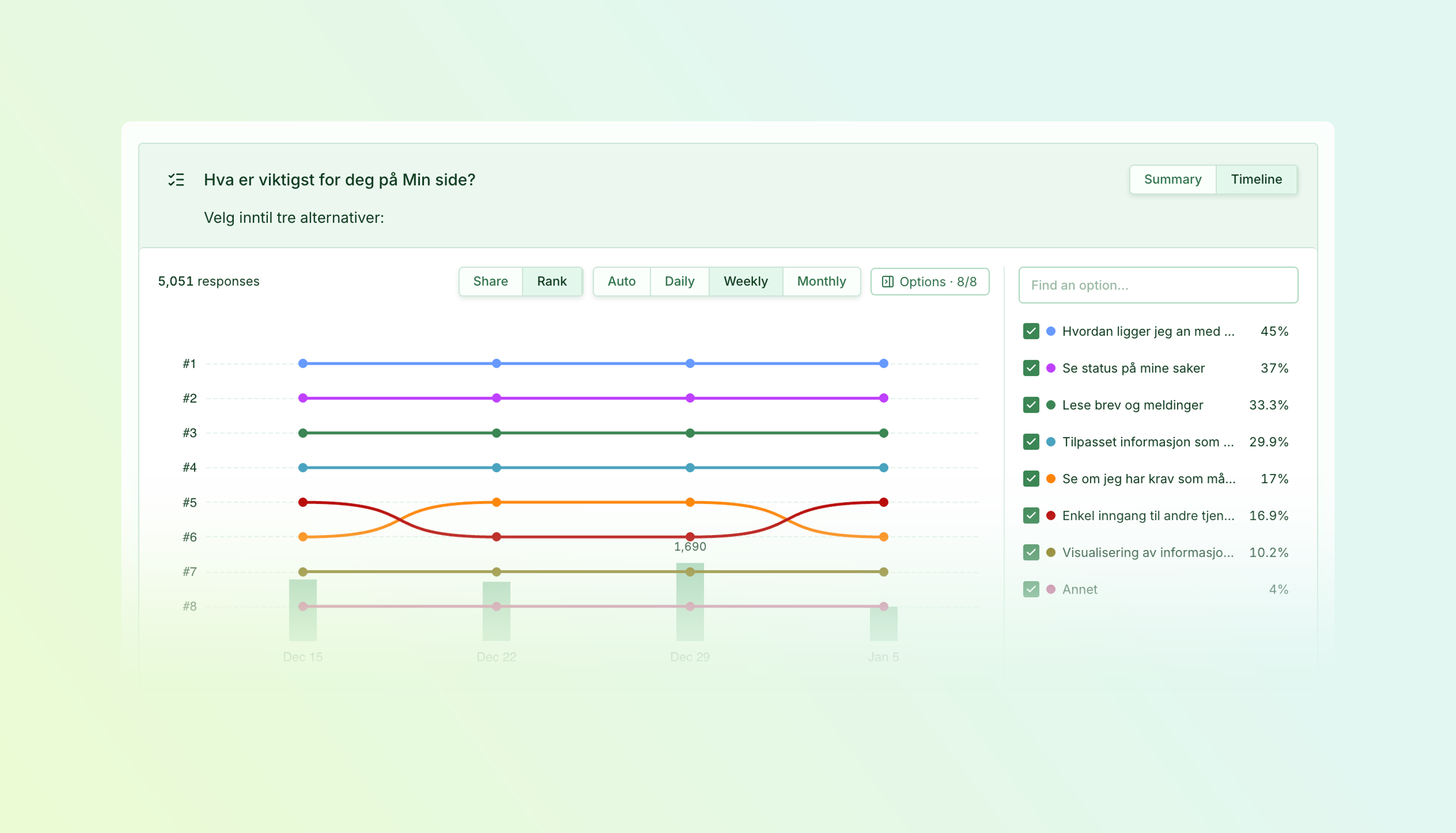
Move between daily detail and the bigger picture
Rank makes changes in relative popularity easy to follow. Compare daily and weekly views to see short-term movement alongside broader patterns.
Available on Essentials and above.
Improvements4 changes
- FindabilitySurveys
Findability editing in Survey Studio — Set up and edit your Findability survey in the same Survey Studio used for your other surveys.
- Surveys
Apply design changes when you’re ready — Preview changes to your survey’s appearance, then choose Update design to apply them or Discard to return to the saved version.
- Responses
Easier reading of written responses — Browse free-text answers in compact Grid or List views, expand longer answers, and keep your search, filters, and selection when switching views.
- Surveys
More faithful survey previews — Preview popup layouts, validation, and keyboard behaviour more accurately. Switching language preserves your answers, and closing a preview keeps it closed until you choose Restart.
Fixes4 changes
- SurveysTasksSegments
Correct shared translations — Shared task and segment names now use their translated labels consistently in surveys and previews, while preserving survey-specific wording.
- Responses
Reliable response downloads — Filtered downloads show the actual exported response count and become available only once the file is ready.
- SurveysResponsesRecruitment
More reliable report filters — Fixed issues with combined filters, custom date ranges, and page matching, including recruitment reports and written-response exploration.
- Surveys
Consistent popup selection across pages — Visitors selected for a popup survey remain selected when they navigate before it appears, and repeat-display delays are respected at their exact expiry.