Read and work through feedback faster
Responses · Findability
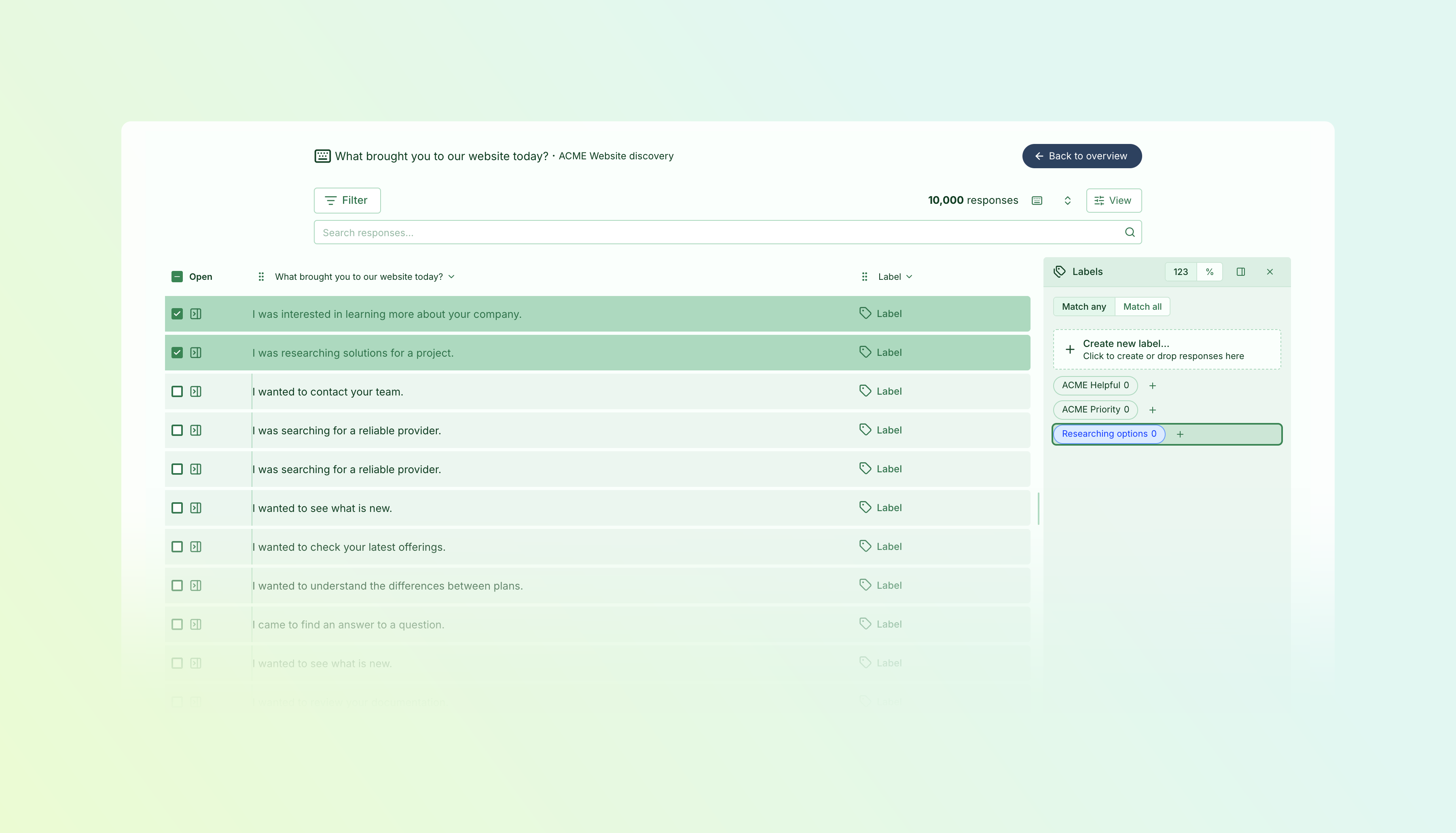
Spend more time understanding feedback and less time navigating it. We’ve brought together a series of improvements that make free-text answers faster to browse, easier to read, and more flexible to work with.
- Move through answers faster — Paging and scrolling are substantially quicker, including when you’re working through large collections of responses.
- Feel at home wherever you read — Survey responses, individual-question views, and Findability feedback now use the same response table, with familiar search, filters, and controls.
- Arrange your view — Drag columns into the order you want, resize or hide them, and sort free-text answers alphabetically. Your column preferences are remembered.
- Read comfortably — Clearer previews make answers easier to scan, while expanded answers and comfortable line lengths help you read longer feedback.
- Organise as you go — Drag individual responses or a selection onto labels to group feedback as you read.
Focus on the answers that matter
Open a question’s answers from your report in a dedicated reading view. Search within the feedback, narrow it with filters, and keep useful context alongside each answer. In Findability, you can explore feedback for a specific page using the same tools.
Return to your report without losing your place, or share a link to the focused question view with a colleague.
Make room for the way you work
Keep related answers next to each other, bring useful columns forward, and hide what you don’t need. Choose between pages and continuous scrolling, and position the labels overview above or beside your responses.
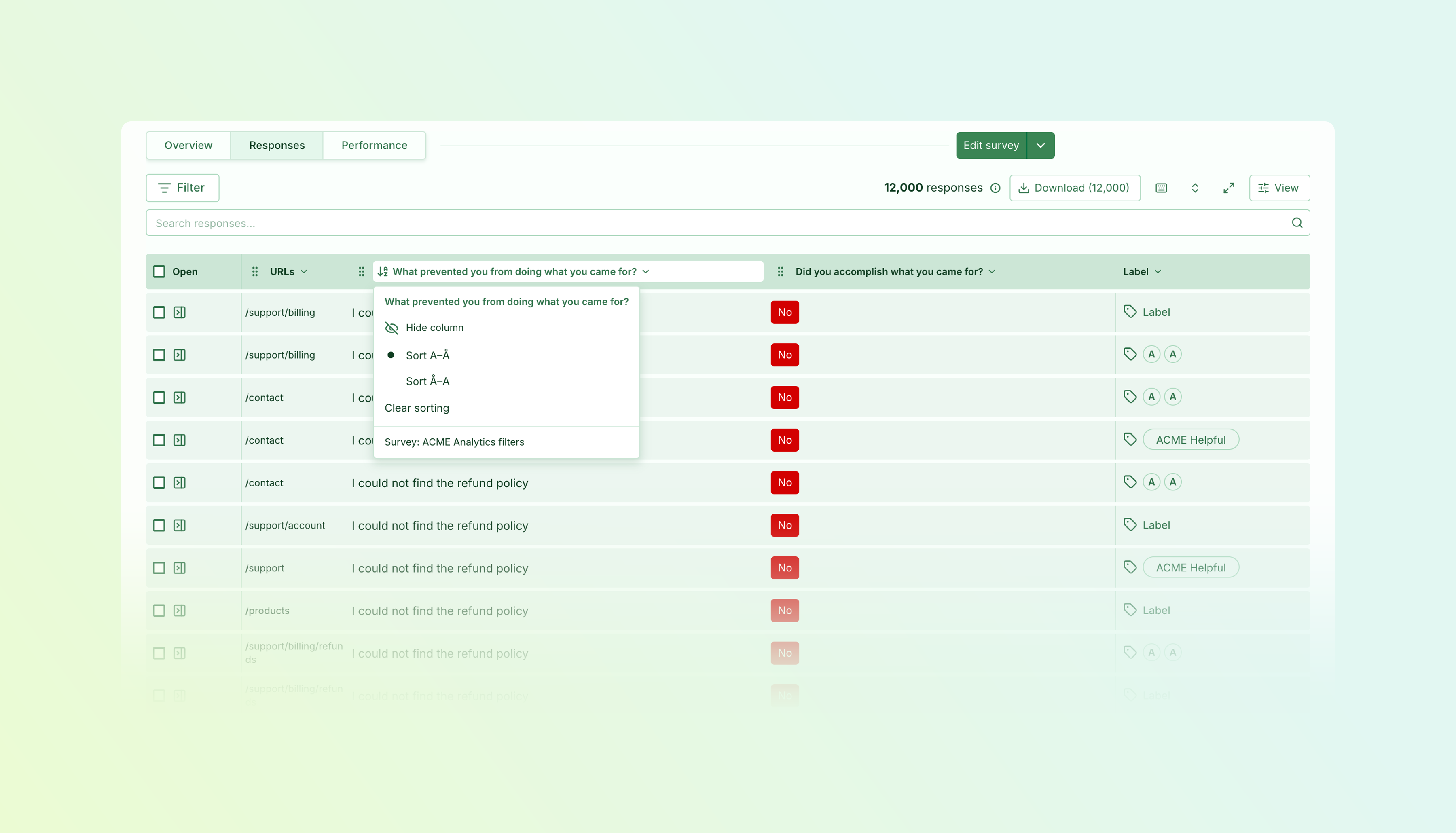
Whether you’re scanning for recurring themes or reading every answer closely, you can shape the view around the task.
Keep going without starting over
Your response selection stays with you across pages and browsing modes, so you can collect related feedback as you go and label it together. Create and manage labels without leaving your reading view, or download your selected responses—the download action shows how many you’ve chosen.
Available on Essentials and above.
Improvements2 changes
- Surveys
Name pages for your team — Give link-survey pages internal names without changing the titles respondents see, making longer surveys easier to navigate and organise.
- Surveys
Translate more of your survey — Translate custom task and segment answer labels, along with input labels, directly in the translation editor.
Fixes5 changes
- ScalesSegments
Translations stay saved — Reopening scale and segment editors no longer risks clearing translations saved earlier.
- Surveys
Consistent translated buttons — Full-page surveys correctly inherit translated survey buttons when a page has no custom wording.
- Surveys
Ended surveys stay ended — Opening an ended survey preserves its schedule. Use Publish again when you’re ready to restart it. Also fixes navigation to Publish settings.
- Surveys
Reliable survey copying for team editors — Fixed an issue that prevented team editors from copying link surveys they could edit.
- ScalesSurveys
Remove scales you no longer use — Deleting the last unused question linked to a scale now updates its usage immediately, allowing the scale to be deleted.