Turn feedback into action with Todos
Responses · Findability
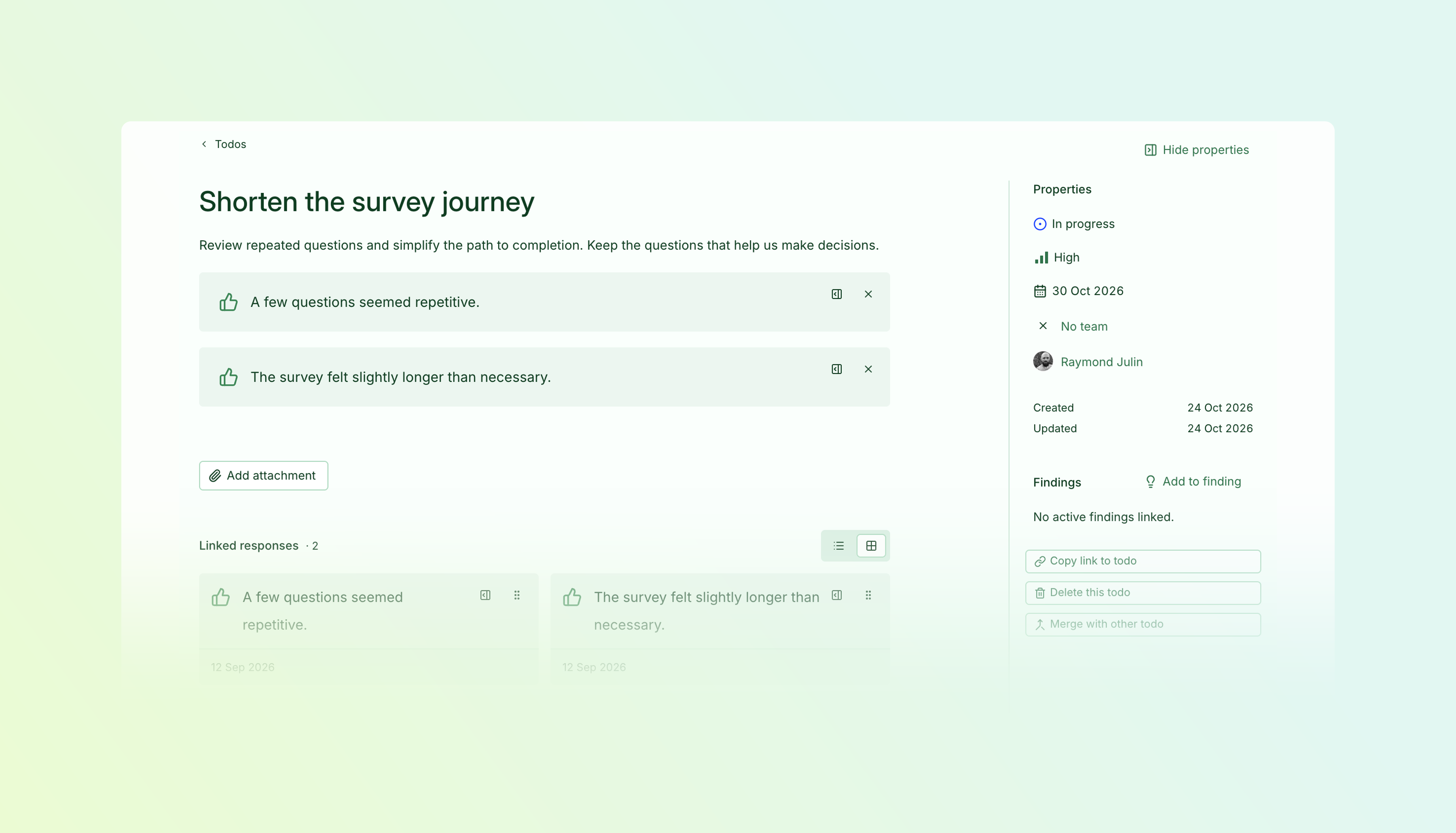
Follow up on feedback with shared Todos that keep the original responses close at hand.
- Create from feedback — Turn one response or a selection into a Todo.
- Make ownership clear — Assign colleagues, set priorities, and add due dates.
- Keep the context — Bring responses, descriptions, and attachments together.
- Follow progress — Update statuses, discuss next steps, and review activity in one place.
Keep useful feedback in sight
Star responses you want to revisit and highlight the passages that matter. As patterns emerge, bring the relevant responses together in a Todo—turning the feedback you’ve collected into a clear next step.
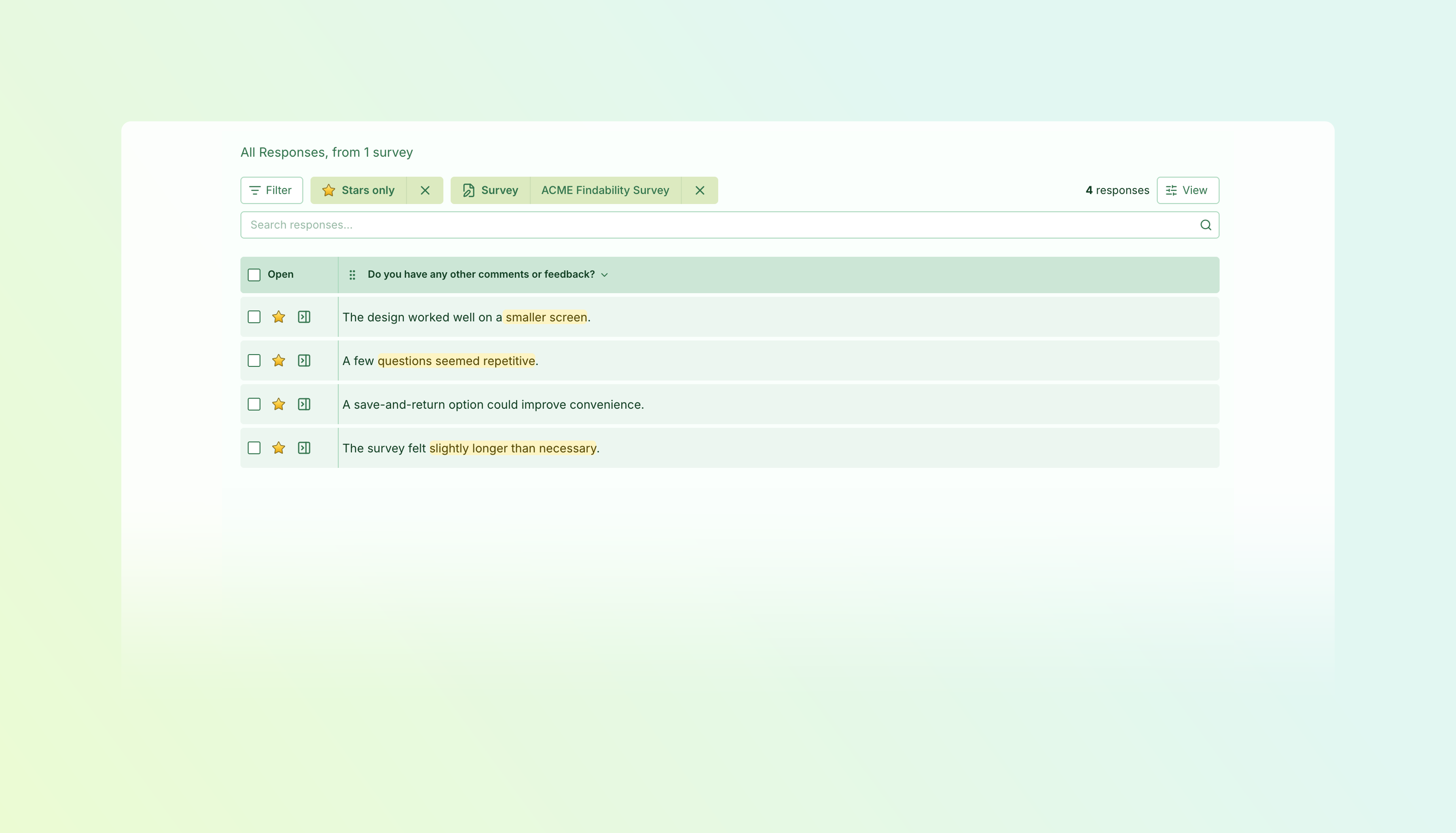
Give useful feedback a next step
Some responses deserve more than a label. They point to something to fix, a question to investigate, or an improvement worth following through on.
Todos give that work a home in Skyra. Create one directly from feedback while the context is fresh, or start from the Todos page and link relevant responses later. Your organisation’s Todos come together in one place, making it easier to coordinate follow-up across surveys.
Organise and explore feedback with tools
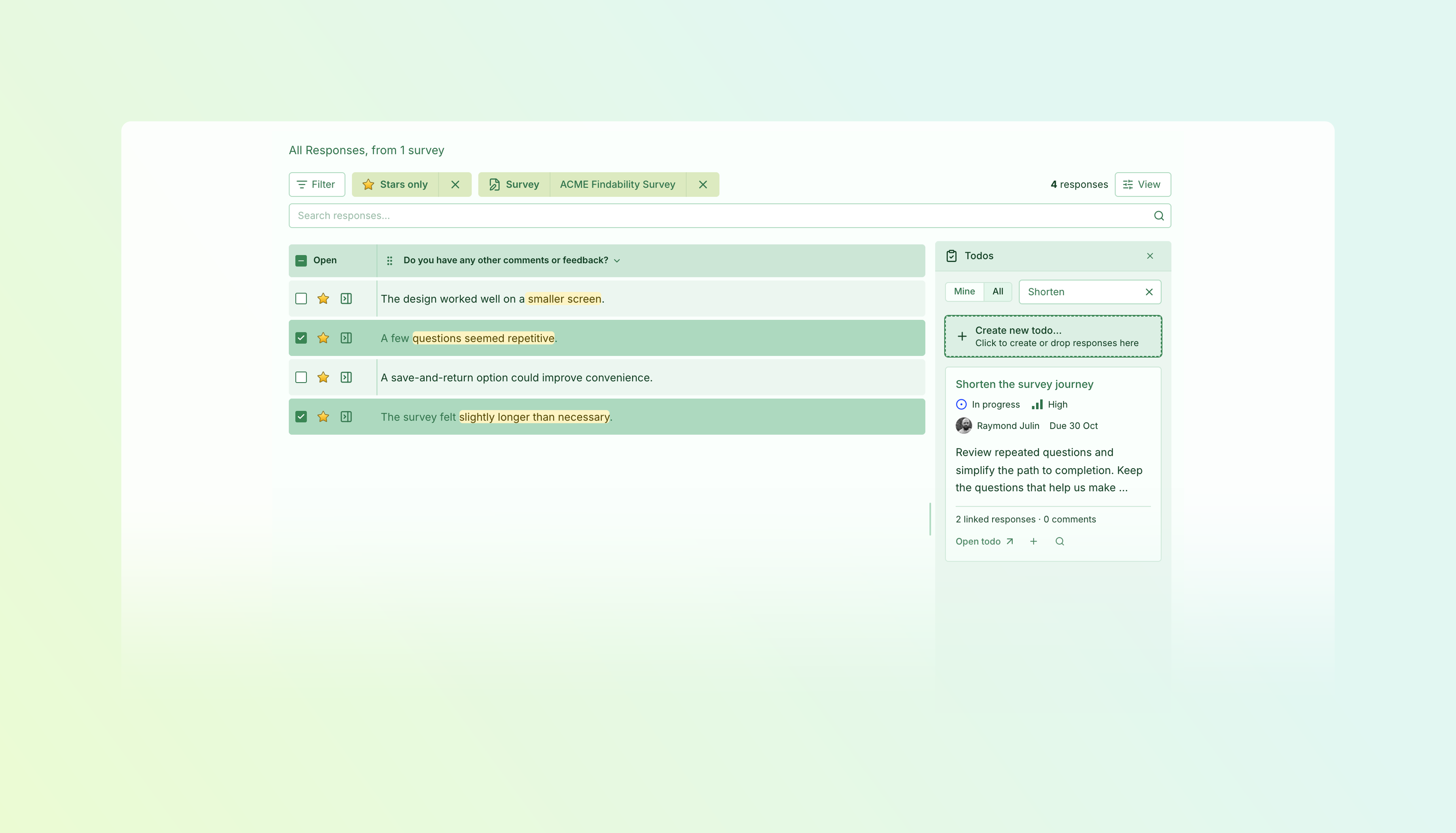
Open the Todos or Labels tool beside your response table to organise feedback as you read.
Drag one response—or several selected responses—onto Create new Todo to turn feedback into follow-up work. Drop responses onto an existing Todo to add more evidence as you discover it. The original responses stay linked, keeping the feedback close to the work.
Use the Labels tool in the same way: drag responses onto an existing label to group them, or onto Create new label to start a new group.
The tools also help you explore what you’ve collected. Click a label to filter the table, or click the magnifying glass on a Todo to show its linked responses. Click again to clear that filter and continue reading.
Explain what needs to happen
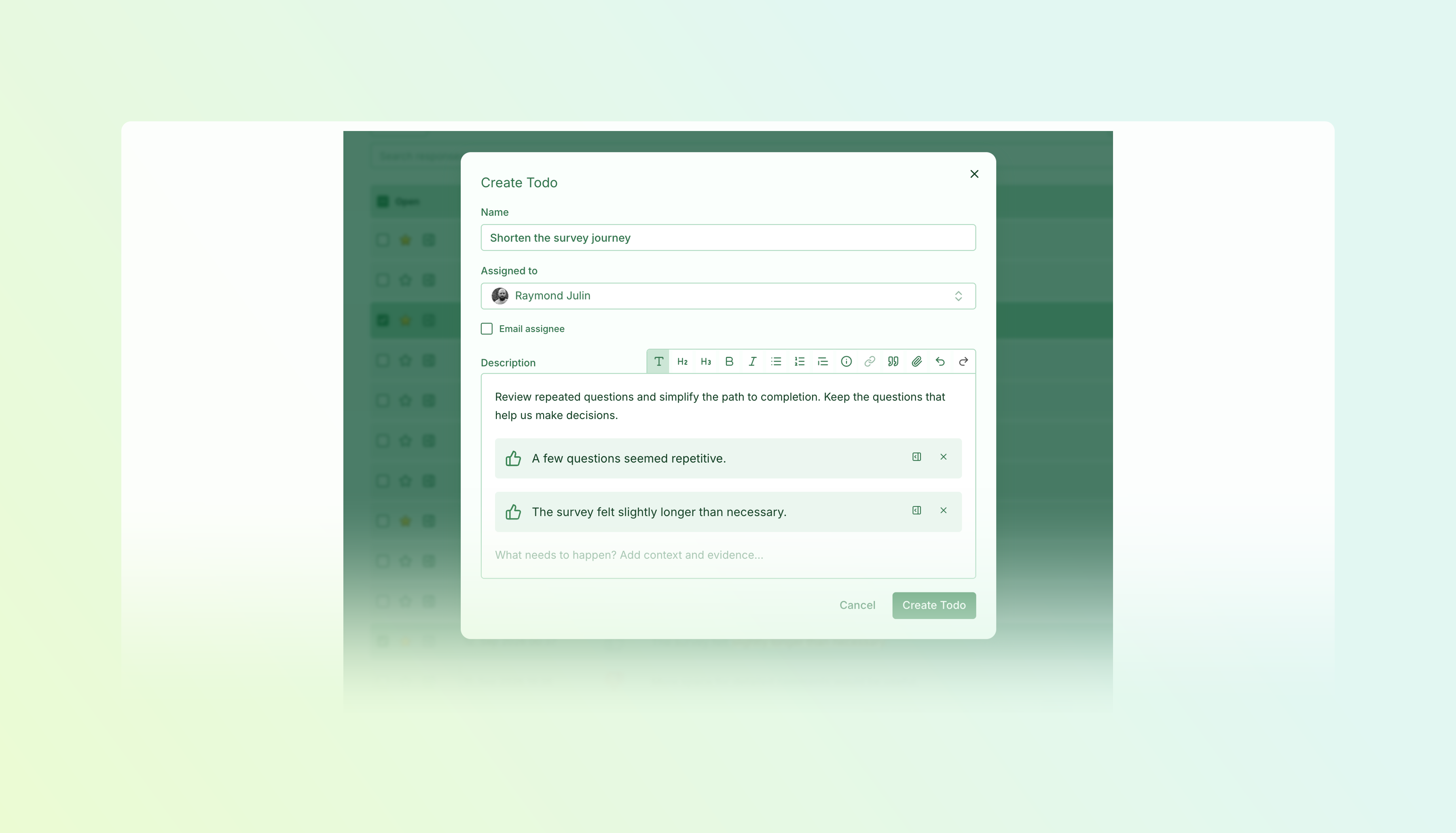
Use the description to turn an observation into a clear next step. Outline the problem, explain the change you have in mind, or capture the questions that still need answering.
Formatted text, embedded responses, links, and attachments help keep the supporting material alongside the work. Whoever picks up the Todo can understand both what needs doing and why it matters.
Add supporting files directly to the Todo’s description. See when uploads are processing, and preview images, PDFs and text attachments without leaving Skyra.
Make ownership and priorities clear
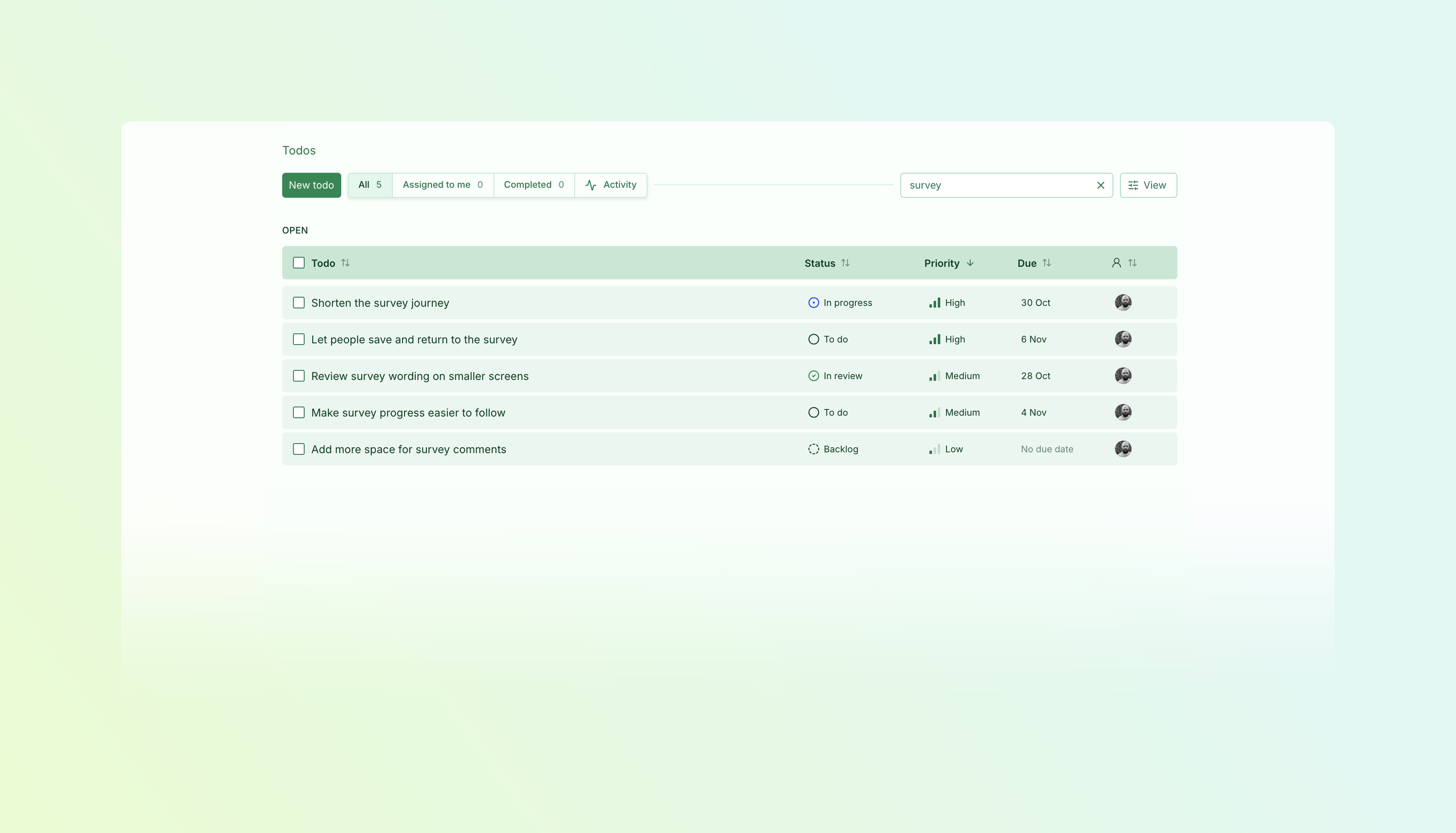
Assign a Todo to a colleague, connect it to a team, and set a priority or due date. Update its status as the work moves forward, so others can see what is waiting, what is underway, and what is finished.
When priorities change, select several Todos and update them together. If separate Todos turn out to describe the same work, merge them to bring the follow-up together.
Find your next piece of work
Use Assigned to me to focus on your own follow-up, or browse the full list to see what your organisation is working on. Search and filter to narrow the view, then arrange the columns around the information you need.
You can also find Todos through the command palette, making it easy to return to an item without browsing the list.
Keep the conversation with the work
Discuss next steps in comments, reply to colleagues, and add supporting material as you learn more. The activity history shows what changed, helping anyone picking up the Todo catch up.
Start with one thing worth following up. Select a few related responses, create a Todo, and give your team a clear next step.
Available on Essentials and above.
Improvements2 changes
- TasksSurveys
Smoother reports — Task results and completion charts stay visible while filters update, with smoother sorting and chart transitions.
- PlatformResponses
Complete survey exports through the API — Download filtered survey responses as CSV or JSON in one request, without paging through results.
Available on Essentials and above.
Requires access to API.
Available by agreement.
Fixes7 changes
- Surveys
Keep answers through interrupted saves — Link surveys preserve entered answers when saving fails and provide clearer retry and recovery options.
- Surveys
Preserve survey progress between pages — Embedded surveys handle navigation on single-page websites more reliably, keeping in-progress answers when the survey remains eligible.
- ResponsesSurveys
Predictable report filters — Filters carried over from another view no longer silently affect results where those filters are not supported.
- SurveysTasks
Protect conditional questions — The editor explains when moving, changing or deleting a question would break a task-based visibility rule, and keeps your unsaved edits available.
- Surveys
Clearer choices for unsaved changes — Save and discard dialogs now distinguish moving between editor steps or pages from leaving the editor.
- FindabilityResponses
Reliable Findability response deletion — Delete individual or selected Findability responses reliably, including recently received feedback.
- Settings
More reliable SSO setup — Accidental spaces around a copied client ID no longer prevent single sign-on from working.