Release notes – 5 February 2025
Surveys · Settings · Tasks · Responses · Recruitment · Platform
Small improvements that make Skyra more robust and reliable
2025 is well underway, and we have released a range of updates, mainly smaller improvements and bug fixes. Some went live during January, and others on 5 February.
1.0 Skyra widget
We have made small but important improvements to the widget itself.
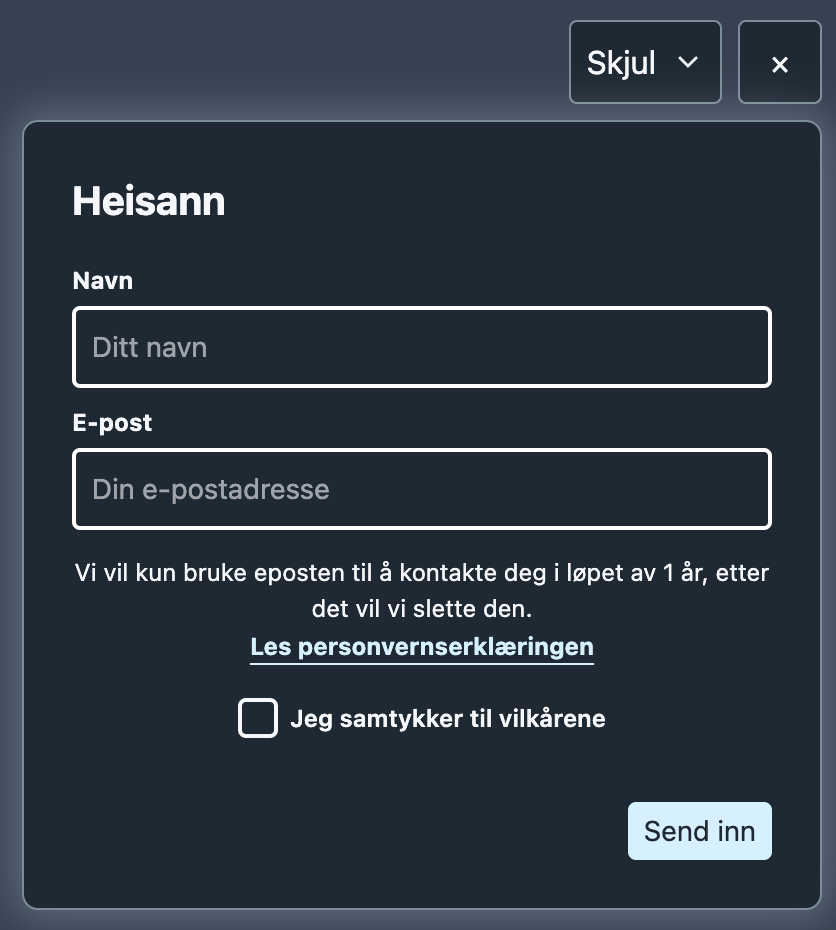
1.1 New floating close button and improved minimised mode
We have added a dedicated close button and deprecated the old close-button text.
Minimised mode has better contrast against all types of backgrounds. We have also made the transition from minimised to open smoother, with a subtle animation.
1.2 Control position and z-index with custom CSS
We have added support for customising the skyra-wrapper element so it can be positioned more freely. Read more here
1.3 Bug fixes and smaller improvements
- Reduced the file size by almost 20%.
- Surveys with just one card now work.
- Corrected the position of the minimise button for left-aligned surveys.
2.0 Dashboard
2.1 Removed the organisation-level Editor/Curator roles
The Editor role now requires teams. This means subscriptions without teams only have the Admin and Viewer roles. Viewers can only see data, while Admins can view and edit everything.
2.2 Better filters
Filters have received many small improvements under the hood, as well as some visible changes:
- Available filters are fetched only once. Previously, loading indicators could appear while you navigated between filters.
- All filters except the date range are stored in the URL. This makes links easier to share and means filters no longer follow you across pages.
- Filters are less likely to show options that return no data. For example, the task list now only lets you filter by surveys that contain task cards.
- The survey list can be filtered by which surveys use a segment.
- Fixed several cases where filter dropdowns were positioned poorly.
- The label filter now shows only labels present in the dataset. For example, survey responses will not show any label options until you have labelled a response, even if you have created 100 labels.
2.3 Top tasks
- The task list now has an optional device breakdown. Turn it on or off through
View - Fixed calculation errors in the task list when determining whether a completion rate was statistically significant.
- Improved the flow and fixed several bugs related to creating large top task surveys.
In this surveyis now a section in task assignment when you try to change a task from Survey → Responses.
2.3 Bug fixes and smaller improvements
- The Summary page has new scale cards and the beginnings of a more responsive layout.
- The Summary page has been extensively optimised so the most important metrics load faster.
- Refreshed the appearance of avatars.
- Added a help centre link to the menu.
Viewin response tables now groups selectable columns by survey.Hide columnhas been added to more columns.Recruitment: Fixed an issue where page 1 actually showed the contents of page 2.Recruitment: Refined the layout with a table header closer to the responses view and a Copy button below the table.Survey validationcan now be deleted.Survey editshows an empty state when no cards have been added. Surveys without cards also open directly in the editor.Survey editno longer toggles card visibility when you click the More button.Survey edit More card optionsnow has clearer button labels and hides fields that are not relevant to the context.- Response tables have a new, more compact header that should be easier to understand.
