SkyraLogg inn

Endringslogg

Nye funksjoner, gjennomtenkte forbedringer og de små tingene som gjør Skyra bedre.

25 oppdateringer

Ny funksjon

Website areas for teams

Undersøkelser · Innstillinger

Control where teams can run surveys by assigning the websites and sections they’re allowed to use.

  • Set each team’s area — Organisation admins can assign a whole website or a section, such as example.com/products, including all pages under it.
  • Simpler survey setup — Pick a team’s website area when choosing where a survey appears, then narrow it down to specific pages if needed.
  • Enforce the boundaries — Skyra blocks new or edited page rules that fall outside the team’s allowed areas, with a clear explanation of what needs to change.
  • Let visitors finish as they browse — Choose whether surveys started in an area can continue when visitors move to other pages.

Manage website areas in your team’s settings.

Tilgjengelig med Pro og høyere.

Team limits depend on your subscription.
Ny funksjonBeta

Audience Targeting (Beta)

Undersøkelser

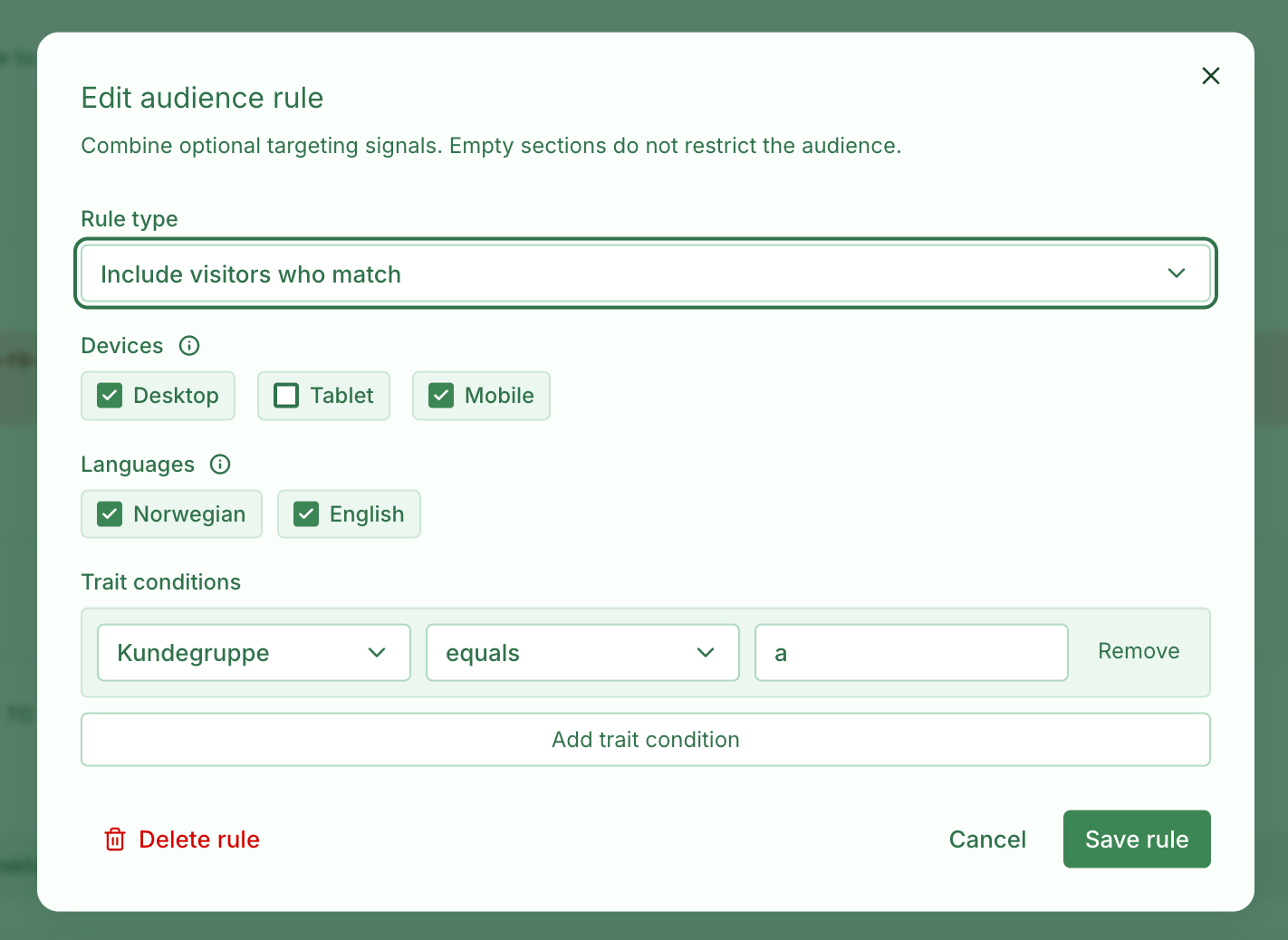
Audience targeting settings for a survey

Control who can see a survey, and which cards they see inside it, with audience targeting. Combine device, language, locale, and visitor trait rules so each respondent gets the right experience.

  • Survey-level targeting — Choose who is eligible to start or receive a survey after the survey’s placement rules have matched.
  • Card-level targeting — Apply the same audience signals to individual cards, so a survey can branch based on device, language, locale, or traits without duplicating the whole survey.
  • Include and exclude rules — Narrow the audience with include rules, then add exceptions for visitors who should never see a survey or card.
  • Trait-based targeting — Create traits in organisation settings first, then pass matching values from your website using the Skyra widget.
  • Beta rollout — Audience targeting is available as a beta feature while we refine the setup, editing, and respondent experience.

Tilgjengelig med Essentials og høyere.

Trait limits depend on your subscription.
Les mer
Ny funksjon

Microsoft Entra SSO

Innstillinger

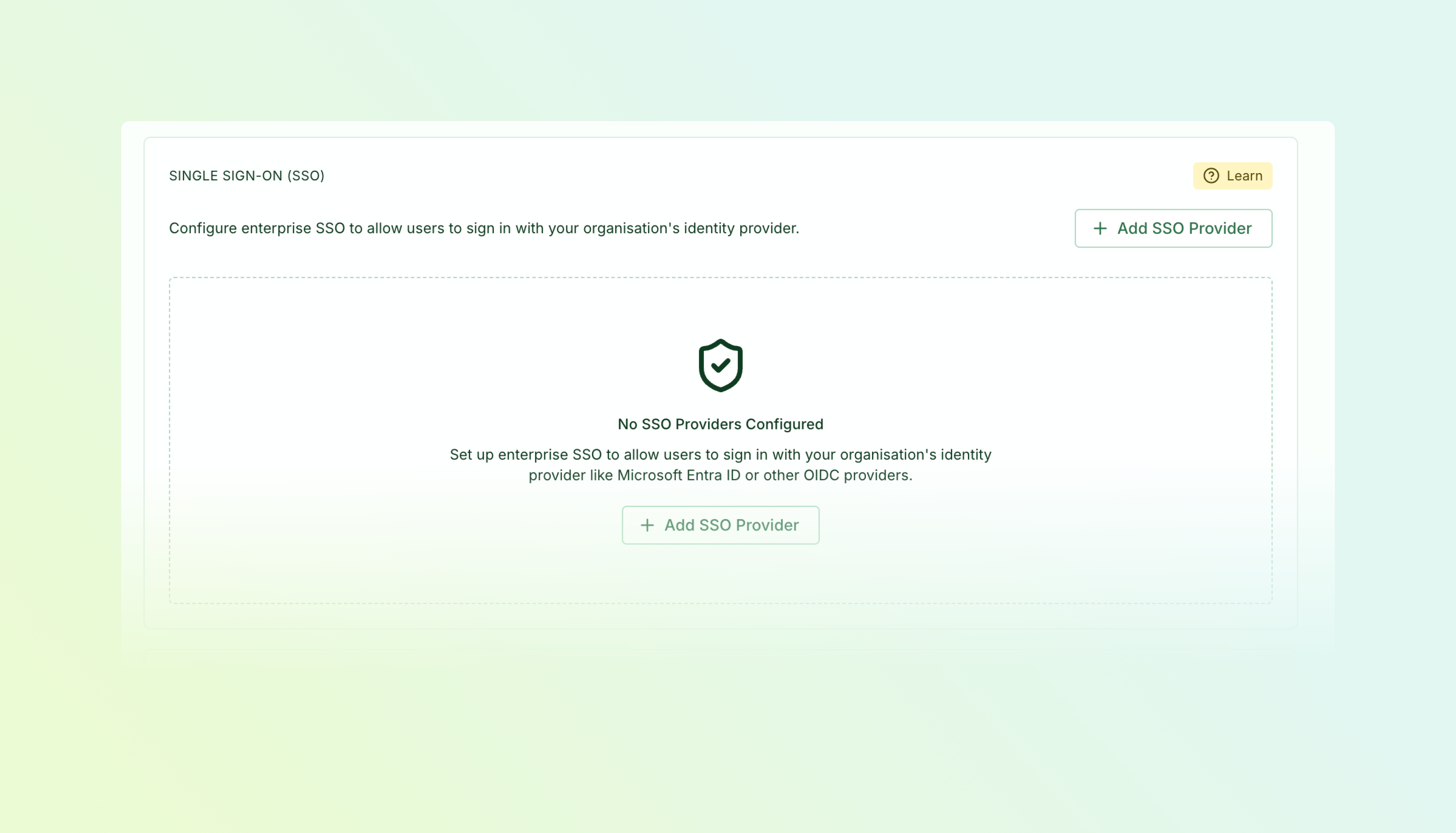
Microsoft Entra SSO setup wizard

Let your team sign in with their corporate credentials using Microsoft Entra ID (Azure AD).

  • Simple setup wizard — Connect your identity provider in minutes with step-by-step instructions
  • Domain verification — Prove ownership of your email domain via DNS to enable SSO for your organisation
  • Automatic user matching — Existing users with matching email addresses are seamlessly linked to SSO
  • Admin controls — Manage SSO configuration and view verification status in Settings → SSO

Available on Pro and Enterprise plans. Contact us if you'd like to enable SSO for your organisation.

Tilgjengelig med Pro og høyere.

Ny funksjon

OR Rules for Card Visibility

Undersøkelser

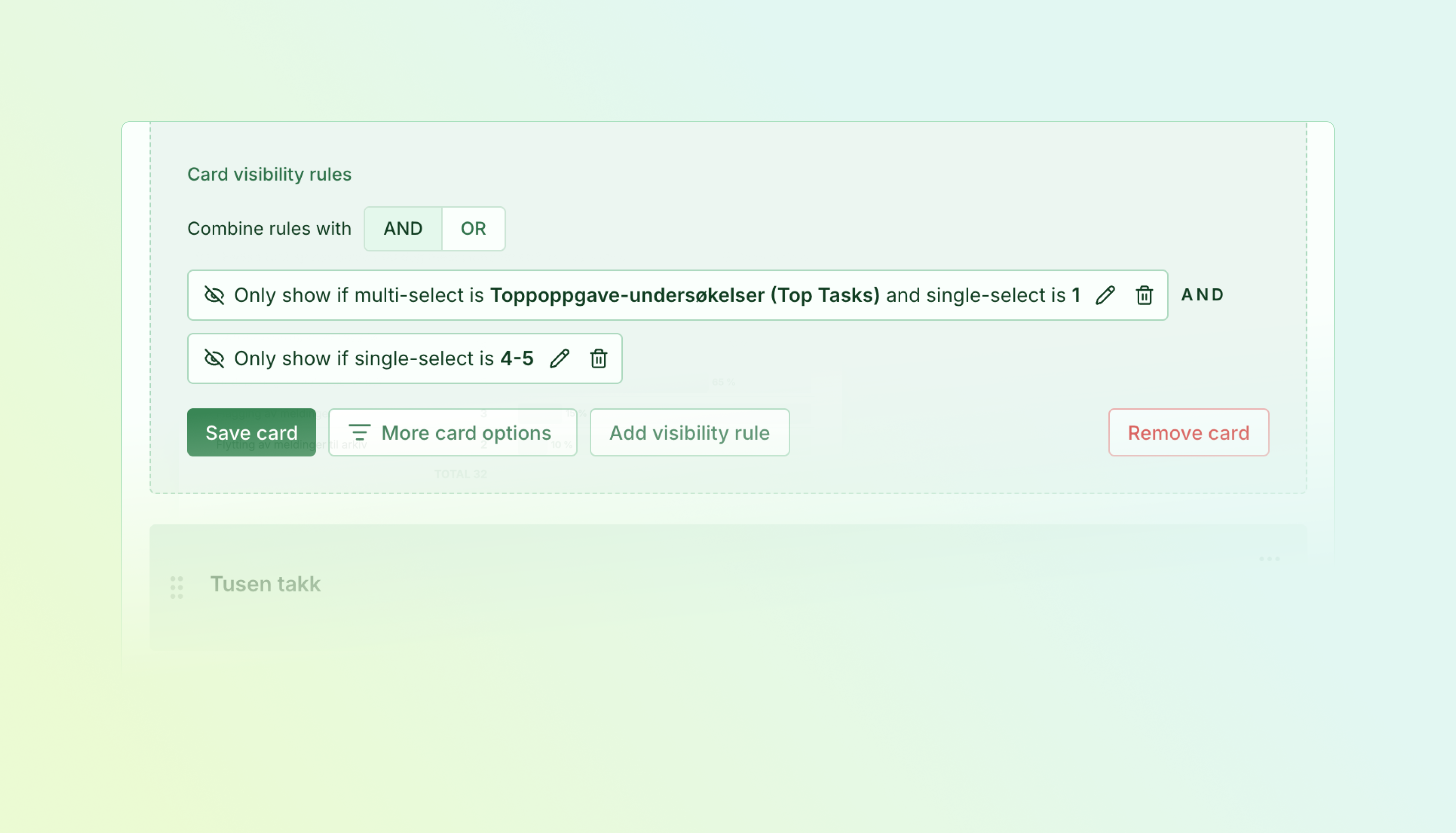
AND/OR toggle in the card visibility rules editor

Card visibility rules now support OR logic. Previously, multiple "show" rules on a card all had to match (AND). Now you can toggle to OR mode so the card appears when any one condition is true.

  • AND or OR per card — A toggle appears once a card has two or more show rules. Switch to OR when you want the card to appear if the respondent matches any condition, not all of them.
  • Cross-page visibility — In standalone surveys, rules can reference answers from earlier pages. Hidden cards cause their entire page to be skipped when no visible cards remain.
  • Exclude rules still win — "Unless" rules always take priority regardless of AND/OR mode, so you can still block a card from appearing in specific cases.

Tilgjengelig med Essentials og høyere.

Cross-page rules in link surveys require access to the Link Surveys module.

Ny funksjonBeta

Link Surveys (Beta)

Undersøkelser

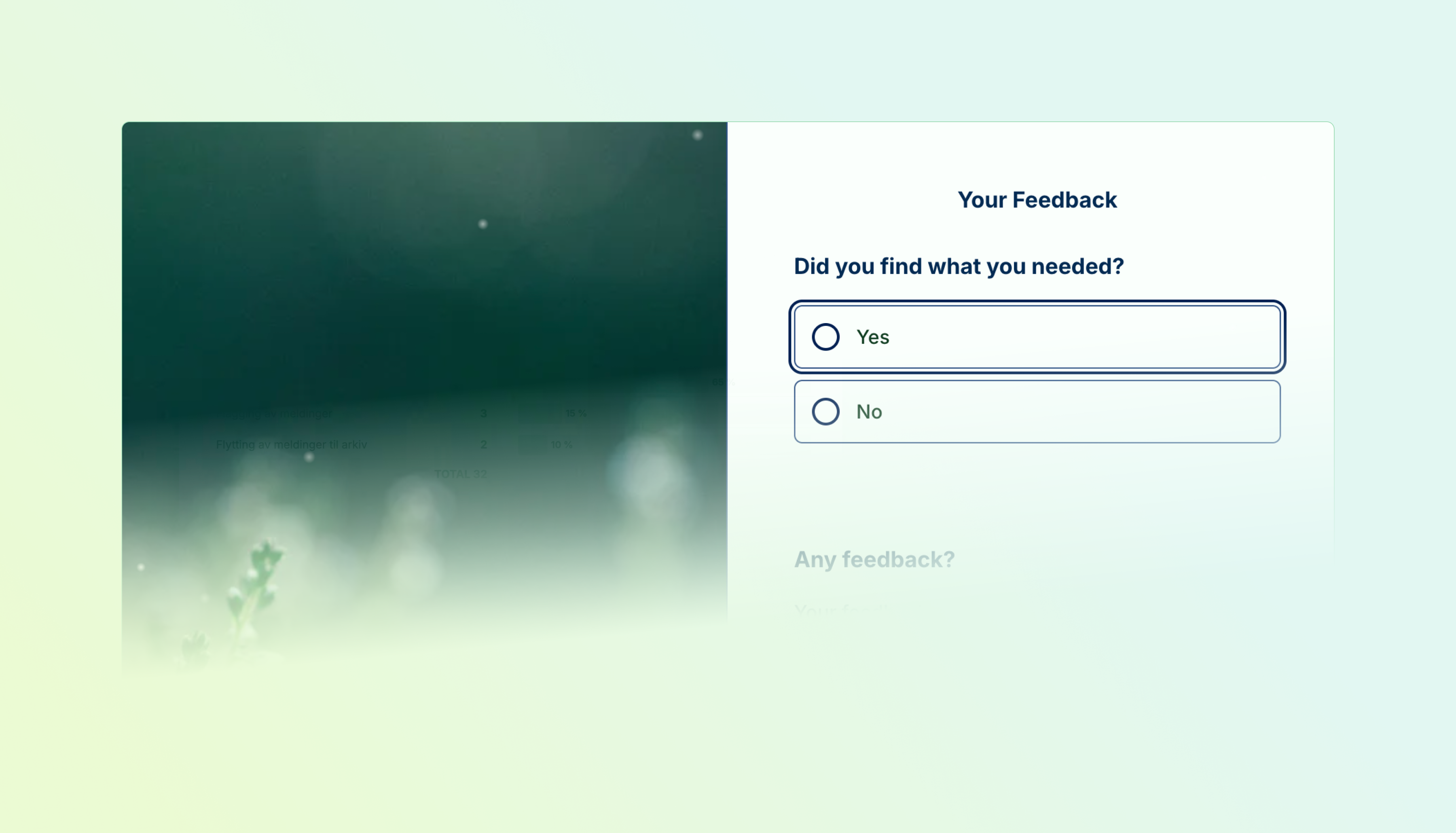
A link survey with themed pages

Surveys can now live on their own page instead of being embedded in your website. Link surveys are multi-page, themeable, and hosted by Skyra — share a link and respondents land directly in the experience.

  • Multi-page flows — Organize cards across pages so respondents move through one section at a time instead of seeing everything at once.
  • Page-level design — Each page can have its own header image with six desktop layouts (split, background, above/below title), focal point control, and a theme override.
  • Celebration effects — Trigger confetti, fireworks, balloons, emoji rain, or other effects on specific pages like thank-you screens.
  • Password and invitation access — Restrict who can open the survey with a password gate or invitation codes for controlled rollouts.
  • Link previews — Shared links render with OG and Twitter Card meta tags, so the survey title and image show up properly in Slack, Teams, and social media.

We're releasing link surveys as a beta. The format is functional today; we'll continue refining the editing and respondent experience based on feedback.

Tilgjengelig med Essentials og høyere.

Krever tilgang til Link Surveys.

Les mer
Forbedring

Survey Editor Refresh

Undersøkelser

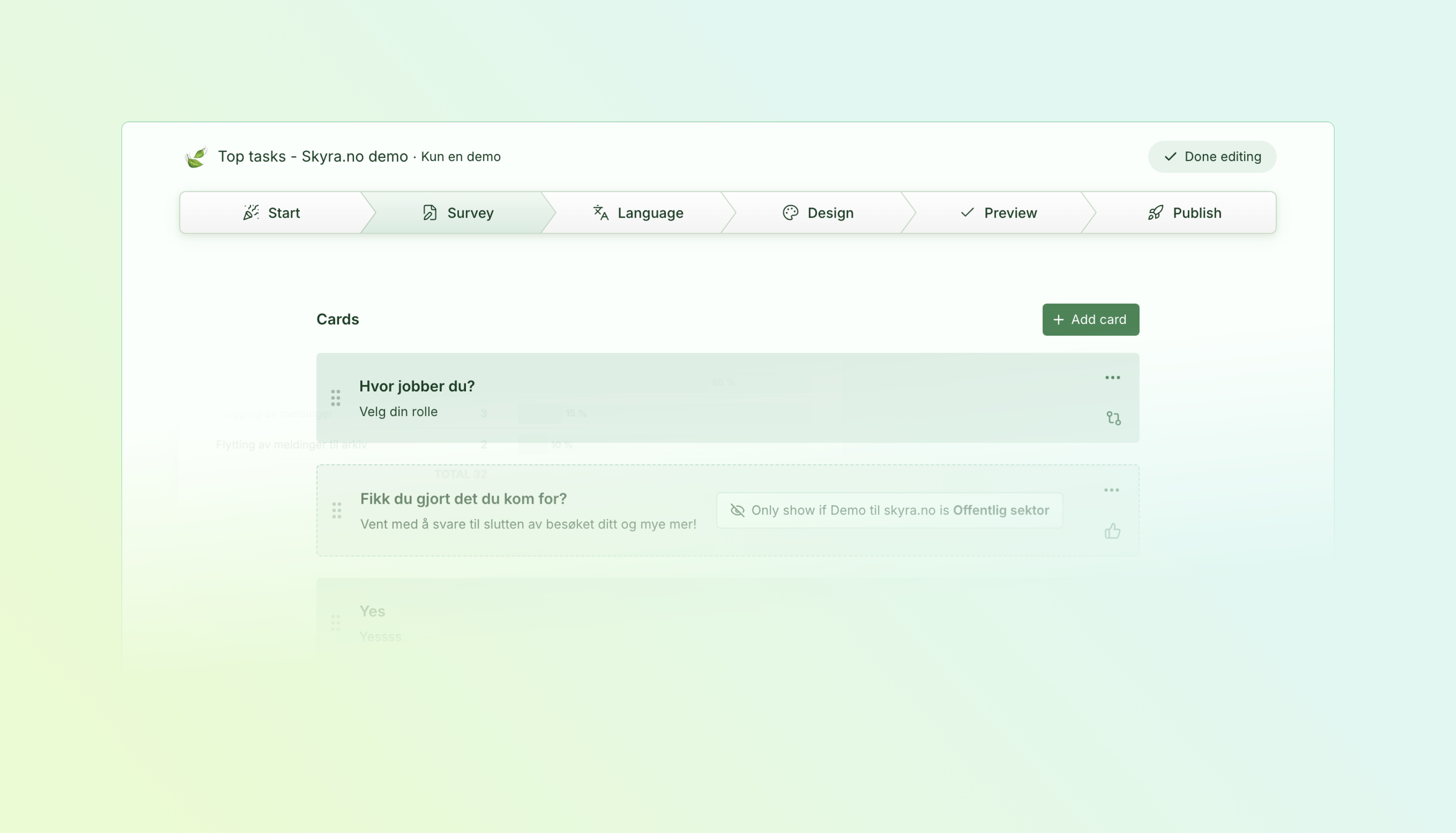
Studio edit — the refreshed survey editor

The survey editor has a new layout built around a focused editing view we call Studio. Open it from the Edit button on any survey in the list, and the editor takes over the full viewport with a sidebar for navigation and a main area for card editing.

  • Studio Edit — A dedicated editing view that removes the surrounding dashboard chrome so you can focus on the survey content.
  • Edit from the survey list — Every survey row now has an Edit button that opens Studio directly, so you skip the detail page when you just want to make changes.
  • Unified settings — Behavior, layout, and targeting controls are consolidated into fewer panels instead of being spread across tabs and sub-pages.

Tilgjengelig med Essentials og høyere.

Les mer
Ny funksjon

Responses Table Redesign

Svar

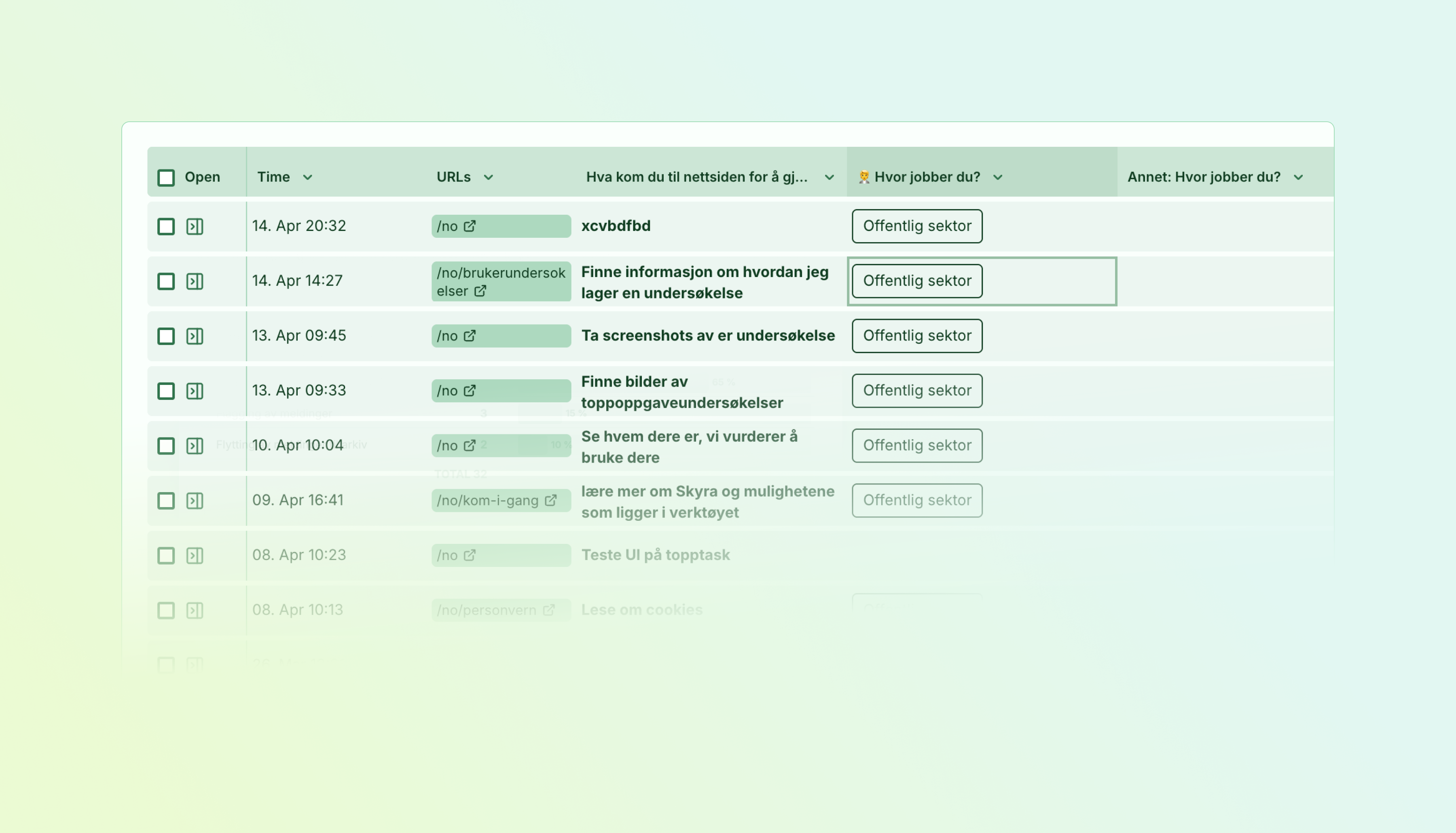
The new responses table

The responses table has been rebuilt from the ground up for speed and keyboard-driven workflows. Navigate thousands of responses without touching your mouse.

  • Spreadsheet-style navigation — Arrow keys move between cells, Enter expands content, and vim-style hjkl works too.
  • Find in table (Ctrl/Cmd+F) — Search across all visible data with instant highlighting. Jump between matches with Enter or F3.
  • Jump navigation (Ctrl/Cmd+Arrow) — Leap across empty cells to data regions, just like Excel or Google Sheets.
  • Zen mode (z) — Fullscreen view for distraction-free analysis.
  • Quick actions from keyboard — Select rows, assign tasks, add labels, explore card data — all without leaving the keyboard.
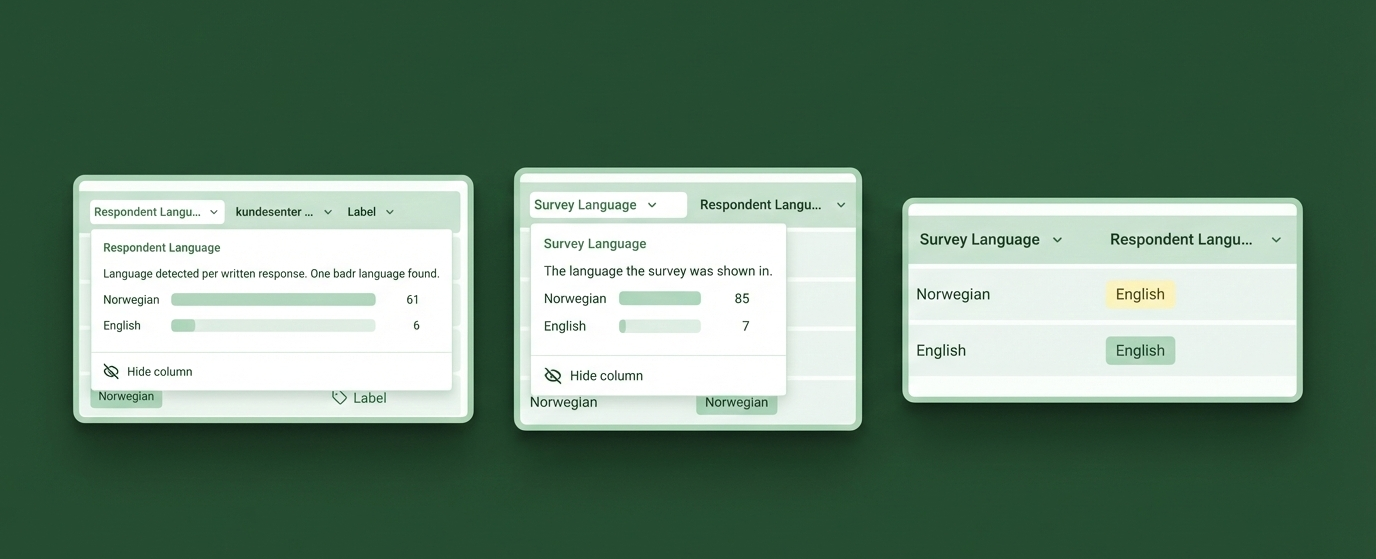
  • Label distribution in headers — Click any Label column header to see counts and filter by label.
  • Time & Completion explorers — Dive into response timing patterns and completion rates with interactive heatmaps and trend charts.

Press . to see all available shortcuts, organized by category with the correct modifier keys for your platform.

Tilgjengelig med Essentials og høyere.

Top Task-specific reporting requires access to the Top Tasks module.

Les mer
Ny funksjon

Language Filtering & Stats

Svar

Language filtering and distribution stats

Two new language dimensions give you full visibility into how respondents interact with your multilingual surveys.

  • Survey Language filter & column — See which display language each respondent used, filter by it, and click the column header for a distribution breakdown across your current view
  • Respondent Language detection — Free-text answers are automatically analyzed to detect the language respondents actually write in, shown as a badge in the table and sidebar
  • Filter by either dimension — Separate "Survey Language" and "Respondent Language" filters let you slice responses by the language the survey was shown in versus the language people typed in
  • Language distribution stats — Click either language column header to see a full breakdown of languages with counts, and click any row to filter instantly
  • Manual corrections — If auto-detection gets it wrong, click the badge in the sidebar to override it.
  • Works retroactively — Existing responses have been backfilled, so all language data is available immediately

Tilgjengelig med Essentials og høyere.

Multilingual surveys require Pro or Enterprise.

Ny funksjon

Auto-Include Tasks

Oppgaver · Undersøkelser

Speed up survey creation by marking frequently-used tasks for automatic inclusion.

  • Mark tasks as auto-include — Enable "Auto-include in task cards" when creating or editing a task
  • Quick selection in survey builder — Auto-include tasks appear in a dedicated section when adding task cards, ready to check off
  • Stay in control — Tasks are suggested, not forced — uncheck any you don't need for a particular card

Typically used for "Other" tasks that you always want on all cards.

Tilgjengelig med Essentials og høyere.

Krever tilgang til Top Tasks.

Ny funksjon

Survey Card Layout Options

Undersøkelser

You can now control how survey card options are displayed to respondents:

  • Side by side or stacked — Choose between horizontal (side by side) or vertical (top to bottom) layouts for your card options
  • Works across card types — Available for Likert scales, Completion cards, Single/Multi select, Segment cards, and Top Task cards
  • Per-card control — Set the layout individually for each card via "More card options"

This gives you more flexibility to match your survey's visual style and improve the respondent experience on different screen sizes.

Tilgjengelig med Essentials og høyere.

Ny funksjon

Task Reassignment Overhaul

Oppgaver · Undersøkelser

The task picker now understands your survey structure:

  • Survey-aware selection — Only see tasks that belong to the current survey
  • Two-level paths — Properly assign parent→child task combinations for hierarchical surveys
  • Works with all survey types — TopTask surveys show their configured task hierarchy; Discovery surveys let you assign any organization task
  • Context required — Bulk actions on "All Responses" require a survey filter to ensure accurate assignments

These changes prevent accidental mis-assignments and ensure your task statistics stay accurate.

Tilgjengelig med Essentials og høyere.

Krever tilgang til Top Tasks.

Ny funksjon

URL Privacy Controls

Innstillinger

Create and manage URL redaction rules without code changes:

  • Settings → Privacy — New self-service rules management
  • Live preview — Test rules against real URLs before saving
  • Drag & drop ordering — Control which rules run first
  • Retroactive preview — See how rules would affect historical data

Perfect for GDPR compliance and removing sensitive URL parameters.

Tilgjengelig med Pro og høyere.

Ny funksjon

Release notes - 1. september 2025

Undersøkelser · Oppgaver · Svar · Rekruttering

Datostyrt publisering, add card wizard, nytt single-select spørsmålskort, resultatkort for toppoppgaver, recruitment-oppgraderinger og mye mer!

Sommeren 2025 har vært full av store og små forbedringer. Vi har sluppet flere større funksjoner i tillegg til hundrevis av mindre forbedringer og bugfikser.

Les mer
Ny funksjon

Release note - 24. februar 2025

Undersøkelser · Finnbarhet · Svar · Rekruttering

Cookieless inline surveys!

2025 byr på mye hodebry rundt ekom-lov, EU-forordninger og pålegg som setter krav og begrensninger til teknisk implementasjon av innsamling av brukerinnsikt. Derfor lanserer vi nå støtte for å kjøre inline-surveys (Findability inkludert) uten bruk av informasjonskapsler.

Vi har selvsagt også lansert en rekke fikser og forbedringer.

Les mer
Forbedring

Release note - 5. februar, 2025

Undersøkelser · Innstillinger · Oppgaver · Svar · Rekruttering · Plattform

Mange små forbedringer som gjør Skyra mer robust og pålitelig

2025 er godt i gang og vi har sluppet en rekke forbedringer, primært småforbedringer og bugfikser. Noe gikk live i løpet av januar og noe gikk live 5. februar.

Les mer
Ny funksjon

Release note - 19. November, 2024

Undersøkelser · Svar · Oppgaver · Innstillinger · Plattform

Smart Script, forbedret sidepanel, redigering av undersøkelser, filtre og arbeid med svar.

Les mer
Ny funksjon

Release note May, 2024

Rekruttering · Svar · Oppgaver · Segmenter · Undersøkelser · Innstillinger · Plattform

April is in the bag and with it comes a lot of improvements we know have been requested. Read on to see whats new!

Les mer
Ny funksjon

Release note April, 2024

Undersøkelser · Segmenter · Oppgaver · Skalaer · Svar · Innstillinger · Plattform

We hope everyone had a productive March and a energising easter vacation, at least we did! During the short month of march we released a handful of improvements, but maybe more importantly the team behind Skyra grew from 2 people to now 4! We have had multiple releases as detailed below, all were a result of specific customer requests.

Les mer
Ny funksjon

Release note March, 2024

Undersøkelser · Rekruttering · Segmenter · Svar · Innstillinger · Plattform

What's New

February have seen a number of features and bug fixes released across both surveys and the dashboard.

Les mer