Back to changelog
Feature
Release notes – 13 April 2025
Surveys · Settings · Findability · Recruitment
Rich text formatting and improved Teams
1.0 Rich text formatting on cards
You can now add rich text formatting to the body of survey cards. The available options are bold, italic, lists, and links.
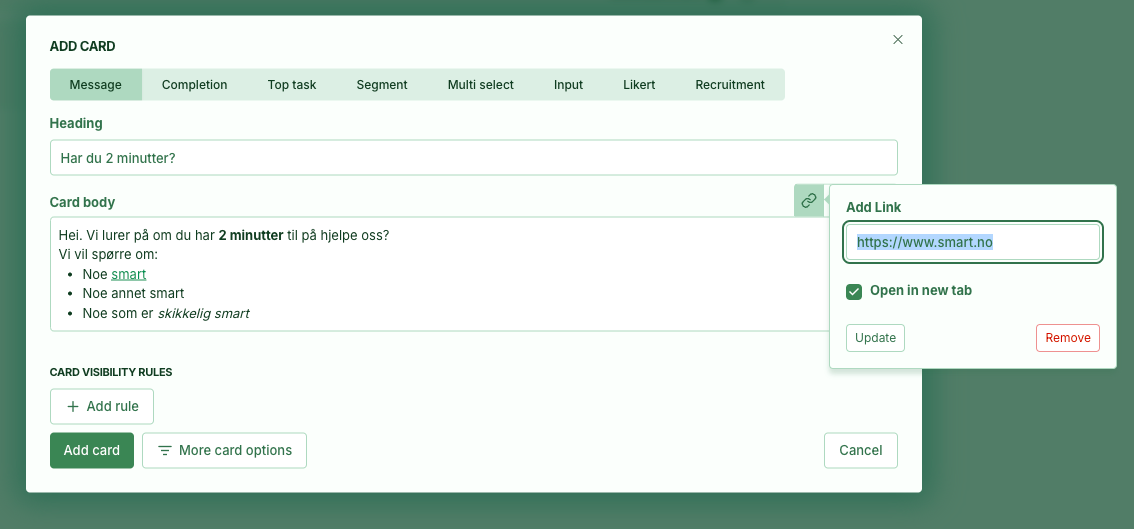
2.0 Teams improvements
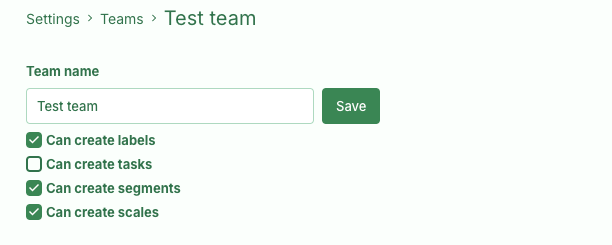
You can now control permissions to create, edit, and delete top tasks, segments, labels, and Likert scales for each team.
If you do not use teams to manage access, only users with the Admin role can still edit these.
This lets you decide how centrally you want to manage the building blocks shared across surveys.
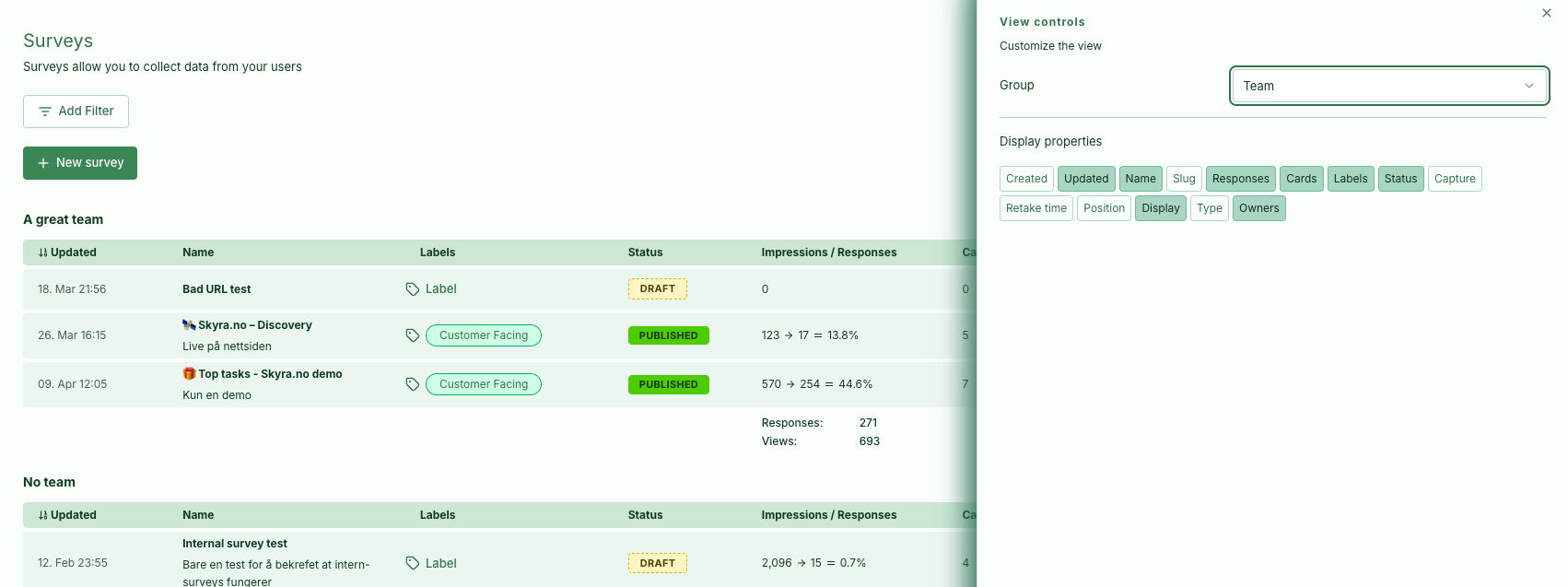
You can also group the survey list by team, which is useful if you have many teams.
3.0 Bug fixes and smaller improvements
- Adjusted colours to meet WCAG requirements.
- The data table's
Explorebutton was showing too much data. This is now fixed. - Fixed an issue with the Likert card indicator in the survey report.
- Fixed an issue when creating cards with multiselect rules.
- Fixed a delay before URL rules appeared when loading the settings page.
- Findability: The Pages list and page filter now show URLs including the domain.
- Card history can show when a card was edited, published, or created.
- Added Input card validation for Norwegian vehicle registration numbers.
- The team members table can now be sorted.
- Added a date filter to the survey performance page.
- Updated colours on the survey performance page where some content had become unreadable. There is also a new button to regenerate historical statistics when percentages appear incorrect.
- Recruitment cards now validate the name and phone fields when consent is required. Previously, you could enter a name and continue without selecting the consent checkbox. Note that responses were not saved without consent, even when you could proceed.
- Several fixes for SPA mode.
- Fixed an issue when creating URL rules where a checkbox appeared unchecked even though it was enabled by default.