Back to changelog
Feature
Language Filtering & Stats
Responses
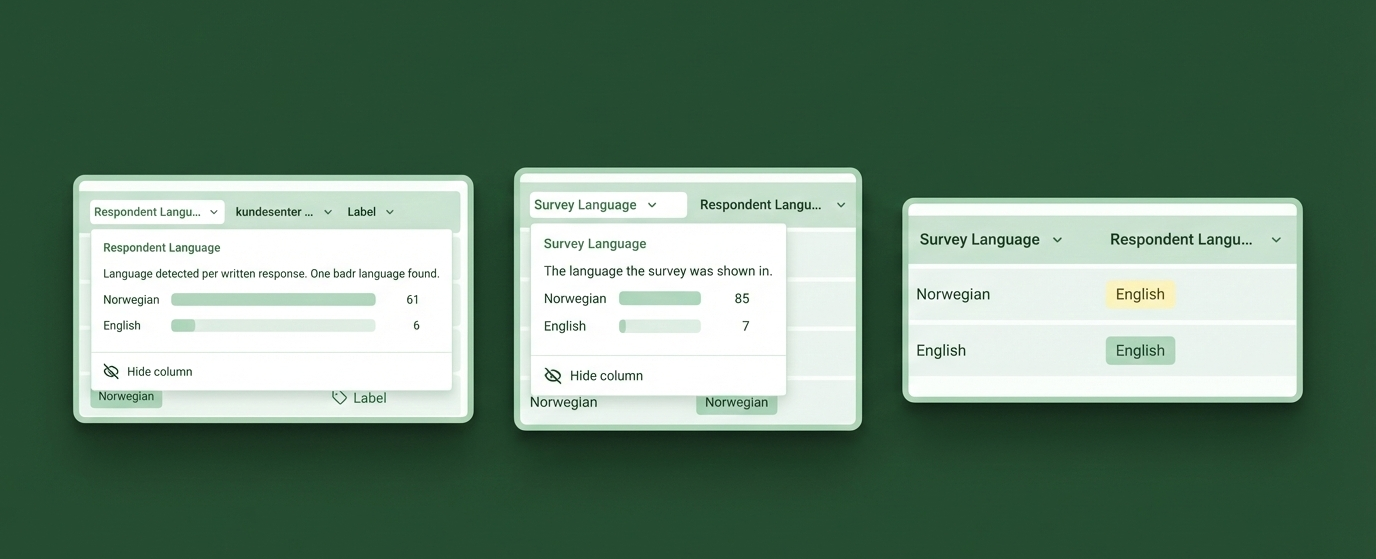
Two new language dimensions give you full visibility into how respondents interact with your multilingual surveys.
- Survey Language filter & column — See which display language each respondent used, filter by it, and click the column header for a distribution breakdown across your current view
- Respondent Language detection — Free-text answers are automatically analyzed to detect the language respondents actually write in, shown as a badge in the table and sidebar
- Filter by either dimension — Separate "Survey Language" and "Respondent Language" filters let you slice responses by the language the survey was shown in versus the language people typed in
- Language distribution stats — Click either language column header to see a full breakdown of languages with counts, and click any row to filter instantly
- Manual corrections — If auto-detection gets it wrong, click the badge in the sidebar to override it.
- Works retroactively — Existing responses have been backfilled, so all language data is available immediately
Available on Essentials and above.
Multilingual surveys require Pro or Enterprise.